


Best AI Business Tools: The Complete Guide for 2026
⏱ 30 min read · Category: AI Tools
AI tools have become critical for business survival — not just competitive advantage. In 2026, startups compete directly with enterprises by deploying AI that automates tasks previously requiring entire teams: content creation, customer communication, data analysis, sales outreach, and internal operations.
The challenge isn’t finding AI tools. There are hundreds available across every business function. The challenge is selecting the right combination, integrating them intelligently, and building the workflows that deliver consistent ROI.
This comprehensive guide covers the best AI business tools available in 2026, organised by function, with honest pricing, practical use cases, and the data to support your decisions. Key benchmark: 74% of executives report achieving ROI from AI tools within the first year — with median ROI on generative AI reaching 55% for teams following best practices.
Table of Contents
- Why AI Tools Are Business-Critical in 2026
- Category 1: AI Writing and Content Tools
- Category 2: AI Sales and CRM Tools
- Category 3: AI Marketing and SEO Tools
- Category 4: AI Automation and Workflow Tools
- Category 5: AI Customer Service Tools
- Category 6: AI Design and Video Tools
- Category 7: AI Data and Analytics Tools
- Category 8: AI Productivity and Communication Tools
- Category 9: AI Development Tools
- Master Comparison Table
- Building Your AI Business Stack by Company Size
- The AI Automation Guide for Business
- Implementation Best Practices
- FAQ
Why AI Tools Are Business-Critical in 2026
The data is unambiguous. Companies that adopted AI workflows early are reporting:
- 46% faster content creation
- 32% quicker content editing
- 70% cost reductions in specific workflows
- 30–50% improvement in customer satisfaction scores
- 63% of executives reporting improved customer experience from AI
The productivity advantage compounds. A team using AI effectively can produce the output of a team 3x larger — which is why AI-native startups consistently win against incumbents who are still debating adoption.
AI tools in 2026 fall into three tiers of impact:
Tier 1 (Highest impact): Automation and workflow tools that eliminate repetitive tasks entirely. These deliver the fastest and most measurable ROI because they directly replace hours of human time.
Tier 2 (High impact): AI-assisted creation tools (writing, design, video, code) that 3–5x individual productivity. ROI is clear but depends on how aggressively team members adopt them.
Tier 3 (Supporting): AI-enhanced analytics, reporting, and communication tools that improve decision quality and reduce cognitive overhead. Valuable but harder to measure directly.
Key takeaway: Start with Tier 1 automation tools for the fastest ROI. Build toward Tier 2 and 3 as your team develops AI workflows.
Category 1: AI Writing and Content Tools
Content production is the highest-volume knowledge work function in most businesses. AI writing tools have reached a maturity where the output is production-ready for a large percentage of use cases with minimal editing.
Claude (Anthropic) — Best Overall AI Writer
Claude Opus 4.6 is the best AI model for long-form business content in 2026. Its 1M token context window means you can provide comprehensive brand guidelines, competitive research, and tone examples in a single prompt. The instruction-following precision is industry-leading: specify exactly how you want content structured, and Claude delivers it consistently.
For business use, Claude’s strength is nuanced, human-sounding writing. Marketing copy, thought leadership articles, technical documentation, and internal communications all benefit from Claude’s ability to maintain consistent tone across long-form output.
- Pricing: claude.ai free tier; Pro $20/month; API from $0.25/1M tokens (Haiku 4.5)
- Best for: Long-form content, technical writing, policy documents, thought leadership
- Workflow integration: Available via API; connects to n8n, Zapier, and most automation tools
ChatGPT (GPT-5) — Best Versatile AI Assistant
GPT-5 is the default AI assistant for most business teams in 2026. The conversational interface lowers the adoption barrier for non-technical users. GPT-5’s Canvas feature for collaborative document editing, and its integration with Google Workspace and Microsoft 365 via connectors, makes it the most broadly useful tool for teams already in those ecosystems.
GPT-5.3 Instant is optimised for speed — ideal for high-volume tasks like email drafts, social post variations, and quick research summaries. The Codex variant handles technical documentation and code with precision.
- Pricing: Free tier; Plus $20/month; Team $30/user/month; API pricing varies by model
- Best for: Versatile business writing, email, summarisation, research across all departments
Jasper AI — Best for Marketing Teams
Jasper’s brand voice system makes it the preferred writing tool for marketing teams that need consistency at scale. Feed it 10 existing pieces of content and Jasper learns your tone, style, and messaging priorities — then applies them to every future output.
The Campaign feature is particularly valuable: input a product launch brief and receive a complete asset suite (blog post, landing page copy, email sequence, social posts, ad copy) in matching brand voice. For businesses running frequent campaigns, this is a significant time multiplier.
- Pricing: Creator $39/month; Pro $59/month; Business (custom)
- Best for: Marketing teams, campaign content, brand consistency
Grammarly Business — Best for Team Writing Quality
Grammarly’s 2026 business tier adds AI tone adjustment, brand guidelines enforcement, and team-wide style consistency. Every team member writes on-brand automatically. It integrates with Slack, Google Docs, Notion, and most writing platforms.
- Pricing: Business $15/member/month
- Best for: Businesses with large writing teams; compliance-sensitive communication

Category 2: AI Sales and CRM Tools
HubSpot AI — Best All-in-One for SMB/Mid-Market
HubSpot’s AI layer (Breeze AI) spans the entire customer lifecycle: lead scoring, personalised email sequences, meeting booking, call summarisation, deal prediction, and follow-up automation. It’s the most complete AI CRM solution for companies that want one platform covering marketing, sales, and service.
65% of B2B companies use AI-assisted lead prioritisation in 2026. HubSpot’s implementation is mature, well-documented, and requires minimal technical expertise to configure.
- Pricing: CRM free; Marketing Hub Starter $45/month; Sales Hub Professional $90/user/month
- Best for: SMB to mid-market businesses wanting unified CRM/marketing/sales AI
Salesforce Einstein — Best Enterprise CRM AI
Einstein AI is the most powerful and deeply integrated enterprise sales AI available. Features include predictive lead scoring (based on historical conversion data), opportunity health scoring, automated data capture from emails and calls, Einstein Copilot for natural language data queries, and revenue intelligence dashboards.
The depth of Einstein’s predictions improves significantly over time as it learns from your sales data. Teams that have been on Salesforce for 2+ years report materially better predictions than new implementations.
- Pricing: Einstein features add $50–75/user/month on top of Salesforce Core ($25/user/month minimum)
- Best for: Enterprise sales teams with complex processes and significant Salesforce investment
Clay — Best for Outbound Sales
Clay revolutionised outbound sales prospecting by automating contact research at scale. It connects 50+ data sources (LinkedIn, Apollo, Clearbit, ZoomInfo, and more) and uses AI to enrich and score prospects automatically. What previously required an SDR spending 3 hours researching takes Clay seconds.
Waterfall enrichment is Clay’s standout feature: if one data source doesn’t have a phone number, it automatically tries the next source — maximising data completeness without manual work.
- Pricing: Starter $149/month; Explorer $349/month; Pro $800/month
- Best for: Outbound-focused sales teams, SDR automation, account-based selling
Apollo.io — Best for B2B Prospecting
Apollo combines a 275M+ contact database with AI-powered sequencing, scoring, and engagement analytics. The AI Writing Assistant generates personalised first lines for email outreach based on prospect LinkedIn activity and company news.
- Pricing: Free tier (limited); Basic $49/user/month; Professional $79/user/month
- Best for: B2B companies needing prospecting data + outreach automation in one platform
Category 3: AI Marketing and SEO Tools
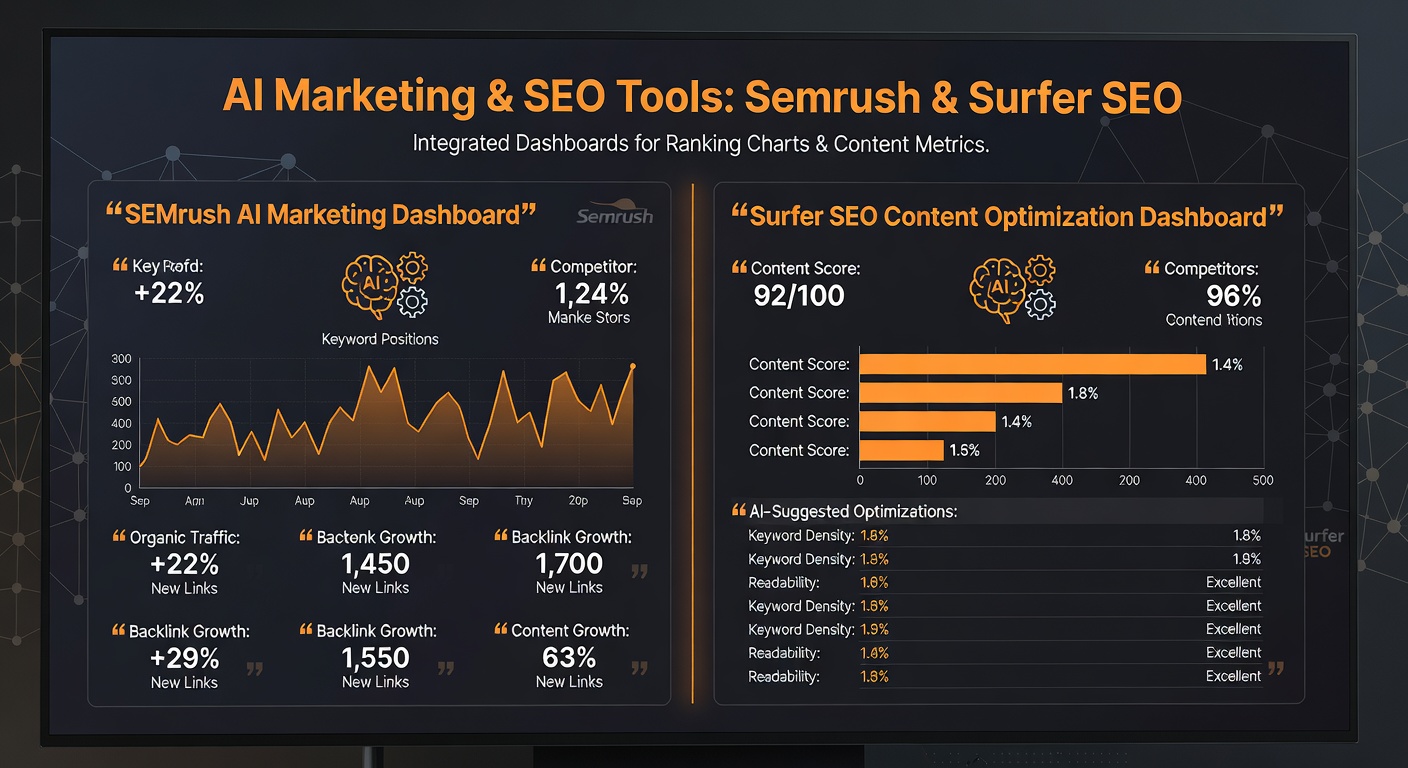
Semrush + ContentShake AI — Best for SEO Content
Semrush’s AI layer in 2026 combines its world-leading keyword and competitor data with content generation. ContentShake AI produces SEO-optimised articles from target keywords, incorporating semantically related terms, recommended heading structures, and internal link suggestions based on Semrush’s keyword database.
Users report a 27% faster ranking improvement and 3x content publishing efficiency when using ContentShake alongside traditional Semrush features.
- Pricing: Semrush Pro $119/month; ContentShake included in Guru tier ($229/month)
- Best for: Content teams with a strong SEO focus
Surfer SEO — Best for On-Page Optimisation
Surfer SEO analyses top-ranking pages for your target keyword and gives your content a real-time optimisation score. The AI outline generator creates structured article plans based on what’s actually ranking, not just what sounds good.
Native integration with Jasper and Google Docs makes Surfer the preferred SEO layer for content teams using AI writers.
- Pricing: Essential $89/month; Scale $129/month; Scale AI $219/month
- Best for: Content teams wanting data-driven SEO optimisation
Instantly.ai — Best for Cold Email at Scale
Instantly manages cold email infrastructure: unlimited sending accounts, automated warm-up, AI personalisation, and deliverability monitoring. In 2026, it’s the dominant tool for outbound email at scale, with AI-generated opening lines and follow-up sequences.
- Pricing: Growth $37/month; Hypergrowth $97/month
- Best for: Sales-led companies running cold email at volume
Category 4: AI Automation and Workflow Tools
Zapier — Best for Non-Technical Teams
Zapier connects 8,000+ apps with AI-powered automation. The 2026 version includes AI Copilot (describe an automation in plain English, get a working Zap), AI steps within workflows (add LLM reasoning at any point in an automation), and Zapier Agents for fully autonomous task handling.
For business teams without developers, Zapier delivers automation capabilities that previously required engineering resources.
- Pricing: Free (100 tasks/month); Starter $19.99/month; Professional $49/month; Team $69/month
- Best for: Non-technical teams automating cross-app workflows
n8n — Best for Developer-Led Automation
n8n is the developer’s choice: open-source, 400+ integrations, and a native AI Agent node that adds autonomous reasoning to any workflow. Self-hosted n8n is completely free with no usage limits. The AI automation patterns possible in n8n — combining web scraping, database operations, API calls, and LLM reasoning in a single flow — exceed what Zapier’s managed platform offers.
For the AI Automation Guide approach (covered in depth at AI Automation Guide), n8n is the recommended automation backbone.
- Pricing: Free (self-hosted); Cloud Starter $20/month; Pro $50/month
- Best for: Technical teams wanting maximum flexibility; high-volume automation
Make.com — Best Middle Ground
More powerful logic than Zapier, better UI than n8n, and competitive pricing. Make.com handles complex multi-branch conditional automation, error handling, and data transformation that Zapier’s simple trigger-action model can’t match.
- Pricing: Free (1,000 operations/month); Core $9/month; Pro $16/month
- Best for: Operations teams needing complex logic at lower cost than Zapier
ActivePieces — Best Free Open-Source Alternative
ActivePieces is an open-source Zapier alternative with growing AI capabilities. Completely free when self-hosted, with 100+ integrations and a clean visual workflow builder.
- Pricing: Free (self-hosted); Cloud plans available
- Best for: Budget-conscious businesses wanting Zapier-style automation at zero cost
Category 5: AI Customer Service Tools
Intercom Fin — Best Autonomous AI Agent
Intercom’s Fin handles Tier-1 customer queries autonomously. In 2026, businesses using Fin report resolving 40–60% of support tickets without human intervention. Fin learns from your documentation and historical conversations, improving resolution rates over time.
The handoff to human agents is smooth: when Fin can’t resolve an issue, it provides the human agent with a full conversation summary and suggested resolution. Average handle time for escalated tickets drops by 35%.
- Pricing: $39/seat/month; Fin AI resolution fee model also available
- Best for: SaaS and e-commerce companies with high support ticket volume
Zendesk AI — Best Enterprise Support
Zendesk’s 2026 AI suite covers intelligent routing, agent copilot (real-time response suggestions), automated ticket classification, customer sentiment analysis, and self-service bot management. The compliance features are enterprise-grade.
- Pricing: Suite Team $55/agent/month; Suite Growth $89/agent/month; Suite Professional $115/agent/month
- Best for: Mid-market and enterprise support operations with complex workflows
Tidio — Best for E-commerce
Tidio’s Lyro AI resolves up to 70% of customer queries automatically, with particular strength in e-commerce scenarios: order status, return policies, product recommendations, and checkout assistance.
- Pricing: Free tier; Starter $29/month; Growth $59/month
- Best for: E-commerce businesses needing AI support without enterprise pricing
Category 6: AI Design and Video Tools

Canva AI Magic Studio — Best for General Business Design
Canva’s 25+ AI design features make professional graphic design accessible to any team member without design skills. Magic Design generates complete campaign asset sets from a brief. Magic Write creates matching copy. AI video resizing automatically adapts a video asset to all platform sizes simultaneously.
- Pricing: Free; Pro $15/month; Teams $10/user/month
- Best for: Marketing teams without a designer; social content at scale
Synthesia — Best for Business Video
Synthesia has become the standard for business video production: training content, product demos, explainer videos, and corporate communications. AI avatars in 120+ languages eliminate filming, studio, and editing requirements.
The ROI case: a 2-minute explainer video previously costing $2,000–5,000 in production costs is now $15–30 via Synthesia. For L&D teams creating hundreds of training modules annually, the savings are transformational.
- Pricing: Starter $29/month; Creator $89/month; Enterprise custom
- Best for: L&D, product marketing, internal communications at scale
Adobe Firefly (Business) — Best for Brand-Safe Image Generation
Adobe Firefly is the enterprise-safe image generation solution — trained only on licensed content, with full IP indemnification for business customers. For companies with legal teams that need to approve AI-generated assets, Firefly is the only enterprise-grade option.
- Pricing: Included in Creative Cloud subscriptions ($54.99/month); Firefly credits on plans
- Best for: Enterprises with IP/legal requirements for AI-generated images
Category 7: AI Data and Analytics Tools
Microsoft Power BI + Copilot — Best for Enterprise Analytics
Power BI Copilot lets business users query data in natural language and receive charts, reports, and trend analysis automatically. For Microsoft 365 shops, the integration with Excel, Teams, and SharePoint is seamless.
“Show me revenue by region Q1 2026 vs Q1 2025 as a bar chart” generates the visualisation instantly. Data democratisation at enterprise scale.
- Pricing: Included in Microsoft 365 Copilot ($30/user/month) or Power BI Pro ($10/user/month) + Copilot
- Best for: Enterprise organisations standardised on Microsoft 365
Looker + Gemini — Best for Google Ecosystem
Google’s Looker with Gemini integration offers similar natural language BI capabilities within the Google Cloud ecosystem. Strong for organisations standardised on Google Workspace and Google Cloud.
Rows.com — Best AI Spreadsheet
Rows is a spreadsheet product with built-in AI: ask questions about your data in natural language, auto-generate charts, import live data from APIs without code, and get AI-powered analysis summaries. For teams that live in spreadsheets, Rows adds intelligence without requiring a full BI platform.
- Pricing: Free; Plus $16/month; Pro $25/month per editor
- Best for: Data-driven teams wanting AI analytics without a full BI stack
Category 8: AI Productivity and Communication Tools
Microsoft 365 Copilot — Best for Microsoft Shops
Copilot across Word, Excel, PowerPoint, Teams, and Outlook is the most comprehensive AI productivity layer available. Teams meeting summaries, email thread synthesis, Excel formula generation, and PowerPoint slide creation from a brief are all standard features in 2026.
- Pricing: $30/user/month added to eligible Microsoft 365 plans
- Best for: Enterprises standardised on Microsoft 365
Notion AI — Best for Knowledge Management
Notion AI adds intelligence across your entire workspace: summarise meeting notes, generate project documentation, answer questions about company data, auto-fill database properties from context, and generate content blocks from simple prompts. For knowledge-intensive startups and agencies, Notion AI significantly reduces administrative overhead.
- Pricing: $8/user/month add-on to Notion plans
- Best for: Startups, agencies, and knowledge-intensive teams
Slack with AI — Best for Communication Intelligence
Slack’s 2026 AI features include channel summarisation (catch up on a busy channel in one click), thread summaries, search across all Slack history in natural language, and workflow automation triggered by AI analysis of messages.
- Pricing: Included in Slack Business+ ($12.50/user/month) and Enterprise Grid
- Best for: Teams using Slack as their primary communication platform
Category 9: AI Development Tools
Cursor — Best AI Coding Environment
Cursor is a VS Code fork with deeply integrated AI. The multi-file edit feature (Ctrl+K) applies AI changes across your entire codebase simultaneously. Chat with your codebase, generate tests, debug errors, and refactor at scale. Most developers report 2–3x productivity improvement over vanilla VS Code with Copilot.
- Pricing: Free; Pro $20/month; Business $40/user/month
- Best for: Individual developers and engineering teams wanting the best AI-native coding environment
GitHub Copilot — Best for Enterprise Development
GitHub Copilot’s 2026 version includes code completion, chat, pull request summaries, code review suggestions, and vulnerability detection. The enterprise tier adds policy controls, IP indemnification, and integration with GitHub Advanced Security.
- Pricing: Individual $10/month; Business $19/user/month; Enterprise $39/user/month
- Best for: Enterprise engineering teams needing IP protection and compliance features
Claude for Code (Anthropic) — Best for Complex Refactoring
Claude Opus 4.6’s extended thinking mode is particularly strong for complex architectural decisions, large-scale refactoring, and debugging hard-to-trace issues. For the problems where Copilot and Cursor fall short (complex multi-system interactions, architectural tradeoffs), Claude provides exceptional reasoning depth.
- Pricing: Included in claude.ai plans; API for integration
- Best for: Senior engineers tackling complex architectural and debugging challenges
Master Comparison Table
| Tool | Category | Best For | Pricing Start |
|---|---|---|---|
| Claude Opus 4.6 | Writing | Long-form, quality-critical content | Free / $20/month |
| ChatGPT GPT-5 | Writing | Versatile business writing | Free / $20/month |
| Jasper AI | Writing/Marketing | Brand voice consistency | $39/month |
| HubSpot AI | Sales/CRM | SMB/mid-market CRM + marketing | Free / $45/month |
| Salesforce Einstein | Sales/CRM | Enterprise sales AI | $50/user add-on |
| Clay | Sales research | SDR automation, contact enrichment | $149/month |
| Semrush AI | SEO | SEO-driven content at scale | $119/month |
| Zapier | Automation | Non-technical workflow automation | Free / $19.99/month |
| n8n | Automation | Developer-grade AI workflows | Free (self-hosted) |
| Intercom Fin | Customer Service | Autonomous support resolution | $39/seat/month |
| Zendesk AI | Customer Service | Enterprise support operations | $55/agent/month |
| Canva AI | Design | No-code design at scale | Free / $15/month |
| Synthesia | Video | Business video production | $29/month |
| Microsoft 365 Copilot | Productivity | Microsoft 365 enterprise | $30/user/month |
| Notion AI | Productivity | Knowledge management | $8/user/month |
| Cursor | Development | AI-native coding | Free / $20/month |
| GitHub Copilot | Development | Enterprise code completion | $10/month |
Building Your AI Business Stack by Company Size
Solo Founder / Freelancer ($50–100/month)
Claude Pro ($20) + Notion AI ($8) + Canva Pro ($15) + Zapier Starter ($20) = $63/month
Covers writing, knowledge management, design, and automation.
Small Team 5–15 People ($200–400/month)
HubSpot CRM (free) + Jasper Creator ($39) + Make.com Core ($9) + Intercom Starter ($74) + Notion AI team ($40) + Semrush Pro ($119) = ~$281/month + HubSpot add-ons
Growth Company 15–100 People ($500–2,000/month)
HubSpot Professional + Clay + n8n Cloud + Zendesk Growth + Synthesia Creator + Microsoft 365 Copilot (for tech team) + Semrush Guru = $1,200–1,800/month depending on team size
Enterprise 100+ People ($5,000+/month)
Salesforce + Einstein + Microsoft 365 Copilot (all staff) + Zendesk Enterprise + Synthesia Enterprise + custom n8n pipelines + Semrush Enterprise = $10,000+/month but replacing $500,000+ in manual labour costs
The AI Automation Guide for Business
The single most impactful thing most businesses can do with AI is build automated workflows that connect their tools. Rather than using AI tools in isolation, automation multiplies their value by linking them together.
A practical example: When a new lead comes into HubSpot, n8n automatically enriches the contact with Clay data, generates a personalised email introduction with Claude, schedules it through Instantly, and logs the action in Notion. Four tools connected through automation, triggered by a single event, requiring zero human time.
This is the principle behind learnAI’s AI Automation Guide — building modular, connected AI workflows that compound in value over time.
Implementation Best Practices
Start with one high-impact use case. The biggest mistake is buying 10 tools simultaneously. Pick the single workflow that consumes the most time in your business and solve it completely before expanding.
Measure before and after. Track time spent on the target workflow before AI adoption. Track again after 30 days. This creates the ROI evidence that justifies further investment and builds team confidence.
Invest in prompt engineering. Poor prompts produce poor outputs. Every hour spent improving your standard prompts multiplies across every future use of that prompt. Build a company prompt library.
Build for integration from day one. Every AI tool you adopt should connect to your existing stack via API or integration. Tools that don’t connect become silos that create more work than they save.
Create AI champions per team. The teams with the highest AI adoption have an internal champion who learns the tools deeply and trains colleagues. Budget for this role explicitly.
FAQ
What is the single best AI tool for small business in 2026?
If limited to one tool, Claude Pro ($20/month) delivers the broadest value: writing, research, analysis, summarisation, and code assistance. For teams rather than individuals, the answer depends on your biggest bottleneck — see the stack recommendations by company size above.
How long does it take to get ROI from AI business tools?
74% of executives report ROI within the first year. Simple writing and automation tools deliver measurable impact within 2–4 weeks. More complex tools like AI CRM features (Salesforce Einstein) require 3–6 months of data collection before meaningful predictions emerge.
Are AI business tools reliable enough for client-facing output?
Yes, with a human review layer for critical communications. AI tools are reliable for drafts, structure, and routine content. Final review by a human editor or team member is still recommended for client-facing proposals, legal documents, and high-stakes communications.
How do AI tools handle multiple languages?
Most major AI tools support multiple languages well in 2026. Claude and GPT-5 write fluently in 50+ languages. Qwen 3 via Ollama is particularly strong for Asian languages. Synthesia supports 120+ languages for video. For businesses with international operations, verify language support for your specific markets.
What’s the biggest risk of AI tool adoption?
Over-reliance without validation. AI tools can produce confident-sounding but incorrect content, data, or recommendations. Build validation checkpoints into your workflows — especially for factual claims, numerical data, and legal/compliance content.
Conclusion
The best AI business tools in 2026 cover every function of modern business. The companies pulling ahead are not the ones with the most tools — they’re the ones with the most coherent AI strategy: clear goals, integrated workflows, and consistent measurement.
Start with your highest-friction workflow. Choose the tool that integrates best with your existing stack. Measure impact relentlessly. Build from constraint outward.
The advantage compounds for those who start early. A business that has been using AI workflows for 12 months has more optimised prompts, better-trained models, and more automated processes than one starting today — and that gap widens with every month.
Ready to build your AI automation stack? Explore the AI Automation Guide on learnAI for step-by-step tutorials on connecting these tools into production workflows.
Ready to learn AI? Join the learnAI community → learnAI Skool Community
Advanced AI Business Strategies
Once you’ve established your core AI stack, the next level is using AI more strategically. These patterns separate businesses that are experimenting with AI from those that have made it a structural competitive advantage.
The Compound Content Machine
This pattern turns one piece of research into a month’s worth of content across all channels:
- Research a topic deeply with Claude or Perplexity (1 hour)
- Write a comprehensive pillar article (2,000–3,000 words) with Claude
- Use GPT-5 to extract 10 key insights as LinkedIn posts
- Feed the article to Descript to generate a podcast script
- Convert the podcast transcript back into a newsletter via Jasper
- Use Canva AI to generate matching graphics for each social post
- Schedule everything through Buffer
Total output: 1 pillar article, 10 LinkedIn posts, 1 podcast, 1 newsletter, 10 social graphics — from 3–4 hours of AI-augmented work. A human-only team would need 3–4 days.
The AI Research Analyst Pattern
Research is one of the highest-value, highest-cost knowledge work functions. AI reduces the cost dramatically:
- Use Perplexity Pro to gather 8–10 authoritative sources on a market question
- Compile the sources into a Claude prompt with specific analysis instructions
- Claude synthesises the research, identifies key trends, and flags contradictions
- Use Rows.com or Excel Copilot to build a data model from the findings
- Generate a presentation from the analysis with Gamma
What a junior analyst would spend 2 days producing can be done in 3–4 hours with this stack. And the quality is often higher because AI can process and connect more source material simultaneously than a human can.
The Client Onboarding Automation Pattern
For professional services firms, client onboarding is time-consuming but highly repetitive. AI automation handles it at scale:
- New client signs contract → Zapier triggers the workflow
- HubSpot creates the client record and contact
- Claude generates a personalised welcome email and project brief template
- Notion AI creates the client workspace with pre-filled sections based on the service type
- Calendly link for kickoff call is included in the welcome email
- n8n monitors for the first meeting and then auto-generates a follow-up summary
First impression quality goes up; manual work goes to near-zero. This pattern is detailed in the AI Automation Guide.
AI Tools by Industry Vertical
Different industries have different high-value AI use cases. Here’s how the best tools map to specific verticals:
E-commerce
Priority tools: Tidio AI (customer service), Canva AI (product imagery), Klaviyo AI (email automation), Semrush (SEO), Synthesia (product demo videos).
The highest ROI AI use case for e-commerce is automated customer service: Tidio’s Lyro AI handles 70% of queries autonomously, while reducing customer service staffing costs by 40–60%. The second highest ROI is AI-driven email personalisation — Klaviyo’s AI segmentation and product recommendation engine consistently outperforms manually managed campaigns.
Professional Services (Law, Accounting, Consulting)
Priority tools: Claude for document analysis and drafting, Notion AI for knowledge management, HubSpot AI for CRM, Zapier for client workflow automation, Gamma for presentation creation.
Document intelligence is the transformational AI use case for professional services. Claude can review and summarise a 200-page contract in minutes. An accounting firm using Claude to pre-process client documents reports 40% fewer billable hours spent on routine document review — with the same or better accuracy.
Marketing Agencies
Priority tools: Jasper (brand voice consistency across clients), Semrush/Surfer (SEO), Synthesia (video production), n8n (workflow automation), Descript (podcast/video repurposing).
The agency model transforms with AI: instead of 10 writers producing 100 articles/month, 3 editors manage an AI-augmented workflow producing 300 articles/month at higher quality. Margins improve significantly. The agencies that haven’t adopted this model are being underprice by those that have.
SaaS Companies
Priority tools: Intercom Fin (support automation), GitHub Copilot/Cursor (development), HubSpot/Salesforce (CRM), Clay (outbound), Semrush (SEO/content marketing).
For SaaS companies, the two highest-impact AI deployments are typically developer productivity (2–3x engineering output) and support automation (40–60% ticket deflection). Together, these can add 30–40% more value per engineering and support headcount, dramatically improving unit economics.
Measuring AI Tool ROI
Adopting AI tools without measuring their impact is like hiring employees without tracking their performance. Here’s a simple ROI framework:
The Time-Value Method
For each AI tool, track:
- Hours saved per week by the tool (measure against the pre-AI baseline)
- Cost of those hours (average loaded cost per hour for the team)
- Tool subscription cost per week
ROI = (Hours saved × hourly rate) / Tool cost
Example: Jasper saves a 3-person marketing team 5 hours/week. Average hourly rate $50. Weekly Jasper cost: ~$15.
ROI = (5 × $50) / $15 = 1,666% — or 17x return on the subscription cost.
The Output-Volume Method
Track how many units of output the team produces before and after AI adoption:
- Articles published per month
- Support tickets resolved per agent
- Outbound emails sent per SDR per week
- Features shipped per engineer per sprint
For content teams, typical output increase is 3–5x. For support teams, resolution rate increases 40–60%. For developers, velocity improves 30–50% on AI-compatible tasks.
The Quality Method
Some AI tool value is in quality improvement rather than speed:
- Error rate in customer communications (before/after Grammarly Business)
- SEO ranking positions (before/after Semrush AI/Surfer)
- Customer satisfaction scores (before/after Intercom Fin)
- Code review pass rate (before/after Copilot/Cursor)
Track the metric that matters most for the specific tool’s function.
Common AI Tool Selection Mistakes (And How to Avoid Them)
Mistake 1: Choosing the most feature-rich tool instead of the best-integrated one.
A tool with 50 features that doesn’t connect to your CRM delivers less value than a tool with 10 features that integrates deeply. Always map your integration requirements before evaluating features.
Mistake 2: Adopting tools without a workflow change.
AI tools only deliver ROI when teams change how they work. Buying Jasper but still having writers start from scratch ignores the tool’s value. Implement a “draft with AI, edit as human” workflow mandate for writing tools to see real impact.
Mistake 3: Ignoring the training and prompt investment.
The first week of AI tool usage always produces worse results than manual methods. Teams quit too early. Budget 2–4 weeks of “learning investment” before evaluating ROI.
Mistake 4: Using AI for genuinely creative, high-stakes decisions.
AI excels at volume tasks, pattern matching, and augmenting human experts. It’s poor at genuinely novel creative decisions, high-stakes ethical judgments, and understanding deep business context that isn’t in its training data. Know the boundaries.
Mistake 5: Not training on your data.
Generic AI tools produce generic outputs. The best results come from feeding AI your company’s brand guidelines, customer data, competitive analysis, and proprietary knowledge. The more context AI has, the more valuable its outputs become.
AI Tools for Business: A Starter Checklist
Use this checklist when evaluating any AI tool for your business:
Before adopting:
- Does it integrate natively with our primary CRM/communication tools?
- Is there a free trial or free tier to test before commitment?
- What is the data processing agreement, and is it GDPR compliant?
- Who on our team will champion this tool’s adoption?
- How will we measure its impact in the first 30 days?
When evaluating outputs:
- Are the outputs accurate enough for our use case with current prompts?
- Does the quality improve with better prompts and context?
- Can we establish quality standards and measure against them?
When scaling:
- Does the pricing scale linearly with usage, or are there usage cliffs?
- Can we build workflows around it through Zapier/n8n?
- Does the vendor have a roadmap that aligns with our future needs?
After 90 days:
- What is the measured time saving per week?
- Has team adoption reached at least 70% of intended users?
- Has output quality met or exceeded our initial expectations?
- Is the tool worth renewing at its current subscription cost?
Future of AI Business Tools (2026–2027 Outlook)
The AI tool landscape is evolving faster than any other software category. Here’s what to watch for in the next 12 months:
Agent-native business software: In 2025–2026, AI was added to existing tools. In 2026–2027, we’ll see business software built from scratch with AI agents at the core — not as a feature but as the primary interface. Expect new entrants in CRM, project management, and customer service.
Voice-native AI interaction: Talking to business tools (rather than typing) is moving from novelty to standard. Microsoft Copilot voice mode, already in Office, will become the default interaction pattern for many tasks.
Multi-modal business intelligence: Feeding photos, PDFs, charts, and unstructured data directly into business AI workflows — and receiving structured analysis in return — will become standard in BI tools.
Real-time collaborative AI: Multiple team members and AI agents working simultaneously on the same document, plan, or workflow — with AI handling the synthesis and conflict resolution — will become a standard productivity pattern.
Personalised AI that knows your business: Tools that are fine-tuned on your company’s specific data, style, and processes will deliver dramatically better outputs than generic models. Expect managed fine-tuning services to become affordable for SMBs.
The businesses that invest in building their AI skill stack now will be positioned to adopt these advances quickly. The learning compounds — understanding how to work effectively with today’s tools is the foundation for leveraging tomorrow’s.
Extended FAQ
What is the best AI tool for small business owners who aren’t technical?
Claude.ai is the best starting point for non-technical business owners — it requires no setup, understands complex instructions naturally, and can help with writing, research, analysis, and planning across any business function. The second tool to add is Canva AI for design, which requires zero technical knowledge but delivers professional results immediately.
Can AI tools replace human employees?
AI tools automate specific tasks, not entire jobs. The typical effect is that one AI-augmented employee can do the work of two to three previous employees on automatable tasks — but the strategic, relationship, and creative elements of most jobs still require human judgment. The risk isn’t being replaced by AI; it’s being replaced by a competitor who uses AI more effectively than you do.
How do I keep my AI tools updated as the technology changes?
Subscribe to product update newsletters for your key tools. Follow the companies on LinkedIn. Allocate 1–2 hours per month for “AI tool audit” — checking what new features have launched and whether your workflows need updating. The learnAI community is also a good source for staying current without information overload.
What AI tools have the best free tiers for business testing?
HubSpot CRM (free forever with AI features), Notion (free tier), Canva (free tier with AI features), Claude.ai (free tier with daily message limits), ChatGPT free tier, n8n self-hosted (completely free), and Zapier (100 tasks/month free) collectively provide a capable AI stack at zero cost for initial testing.
Should I build custom AI solutions or use off-the-shelf tools?
Off-the-shelf tools for 80% of use cases, custom builds for the 20% that are genuinely unique to your business. Custom solutions deliver the highest performance but require significant development investment. Most businesses should exhaust commercial options before building custom. The exception: if a workflow is core to your competitive differentiation, custom AI gives you an advantage that competitors can’t replicate by subscribing to the same tool.
How do AI tools handle sensitive business data?
This varies significantly by vendor. Enterprise-tier tools (Salesforce, Microsoft 365 Copilot, Zendesk) offer strong data isolation, no training on customer data, and enterprise data processing agreements. Smaller SaaS tools may use your data for model improvement — review the privacy policy carefully. For maximum privacy, self-hosted tools (n8n, Dify, Ollama) ensure data never leaves your infrastructure.
Pingback: Best AI Agents Tools: The Definitive 2026 Guide - learnai.sk
Pingback: AI Content Creation Automation Guide - learnai.sk
Pingback: AI Agents Tools for Marketing: Complete 2026 Guide - learnai.sk
Pingback: Herramientas de marketing de IA para la productividad: la guía completa para 2026 - learnai.sk
Pingback: Mejores prácticas de automatización de marketing con IA: la guía completa para 2026 - learnai.sk
Pingback: Guía de inteligencia artificial: guía completa para principiantes 2026 - learnai.sk
Pingback: Meilleurs outils d’agents IA : le guide définitif 2026 - learnai.sk
Pingback: Strumenti di marketing basati sull’intelligenza artificiale per la produttività: la guida completa per il 2026 - learnai.sk
Pingback: Strumenti per la creazione di contenuti AI per la produttività: la guida completa al 2026 - learnai.sk
Pingback: I migliori strumenti per agenti IA: la guida definitiva per il 2026 - learnai.sk
Pingback: Strumenti degli agenti AI per il marketing: guida completa al 2026 - learnai.sk
Pingback: Leitfaden zur Automatisierung der KI-Inhaltserstellung - learnai.sk
Pingback: Geschäftsideen für KI-Workflows: 10 profitable Ideen für 2026 - learnai.sk
Pingback: KI-Agenten-Tools für das Marketing: Vollständiger Leitfaden 2026 - learnai.sk