



AI Strategy Tools for Developers
If you’re a developer trying to figure out where AI fits into your workflow, your career, or your business, the sheer number of tools and frameworks can feel paralyzing. Every week there’s a new model, a new SDK, a new buzzword. The real challenge isn’t accessing AI — it’s knowing how to use it strategically to build things that matter, and make money doing it.
This guide cuts through the noise. We’ve reviewed and compared the leading AI strategy tools for developers — covering everything from model APIs and agent frameworks to no-code builders and monitoring platforms. Whether you’re building AI-powered products, automating your own workflows, or positioning yourself as an AI expert, you’ll find the tools and the strategy here.
What Does “AI Strategy” Mean for Developers?
Before diving into tools, let’s clarify what we mean by ai strategy in a developer context.
AI strategy isn’t just picking the hottest model or copying a tutorial. It means:
- Knowing which AI capabilities apply to your specific problem
- Choosing tools that balance cost, speed, and quality for your use case
- Building systems that scale — not one-off experiments
- Understanding how AI fits into a larger product or business model
- Staying current without chasing every trend
Developers who treat AI strategically are the ones landing higher-paying contracts, shipping products faster, and building passive income streams. The tools below are organized by the role they play in a practical AI strategy.
Category 1: Foundation Model APIs
The starting point for any AI strategy is accessing a capable language model. Here’s how the major providers compare.

OpenAI (GPT-5, GPT-5.3 Instant, o3)
Best for: General-purpose text, code generation, function calling, structured outputs
OpenAI’s current flagship is GPT-5 — a significant leap over GPT-4o, with state-of-the-art performance across coding, math, and multimodal tasks, and roughly 80% fewer hallucinations than o3 when thinking is enabled. For everyday speed-sensitive tasks, GPT-5.3 Instant is the default model. o3 and o3-pro remain the go-to for deep reasoning, making 20% fewer errors than o1 on complex real-world tasks. The GPT-5.3-Codex variant is the most capable agentic coding model available today.
- Pricing: GPT-5 pricing varies by tier; GPT-5.3 Instant is the cost-optimised everyday model
- Strengths: Reliability, massive ecosystem, tool/function calling, agentic coding with Codex
- Weaknesses: Rapid versioning makes it hard to pin a stable model long-term
- Strategic fit: Best for production apps requiring maximum reliability and broad capability
Anthropic (Claude Opus 4.6, Sonnet 4.6, Haiku 4.5)
Best for: Long context, reasoning, safety-sensitive applications, document processing
Anthropic’s current lineup is led by Claude Opus 4.6 (released February 2026), which outperforms GPT-5.2 by ~144 Elo points on GDPval-AA and features a 1M token context window in beta. Claude Sonnet 4.6 is the new default for most users — significantly closing the gap with Opus while remaining highly cost-effective. Claude Haiku 4.5 remains one of the fastest and cheapest models available anywhere. All models feature clean tool-use specs and excellent instruction-following.
- Pricing: Claude Haiku 4.5 at $0.25/1M input tokens is extremely competitive
- Strengths: 1M token context (Opus), outstanding document analysis, nuanced instruction following
- Weaknesses: Smaller third-party ecosystem than OpenAI
- Strategic fit: Ideal for document-heavy pipelines, RAG systems, or complex multi-step workflows
Google Gemini (3.1 Pro, 3.1 Flash Lite)
Best for: Multimodal tasks, Google Workspace integration, high-volume processing
Google’s current flagship is Gemini 3.1 Pro (released February 2026), with strong multimodal reasoning across text, images, audio, and video. For cost-sensitive workloads, Gemini 3.1 Flash Lite (released March 2026) is remarkably capable — priced at just $0.25/1M input tokens, it’s 2.5× faster than its predecessor and outperforms GPT-5 mini and Claude Haiku 4.5 on several benchmarks while supporting a 1M token context window.
- Pricing: Gemini 3.1 Flash Lite at $0.25/1M input and $1.50/1M output tokens
- Strengths: Massive context window, multimodal, ultra-fast Flash Lite tier, Google ecosystem
- Weaknesses: API ecosystem still catching up to OpenAI
- Strategic fit: Excellent for media-rich, high-throughput, or cost-sensitive pipelines
Meta Llama 4 (via Groq, Together AI, Ollama)
Best for: Cost-sensitive applications, on-premise deployment, fine-tuning
Llama 4 is Meta’s current open-weight lineup. Llama 4 Scout (17B active params, 16 experts) fits on a single H100 GPU and offers an industry-leading 10M token context window. Llama 4 Maverick (17B active params, 128 experts) beats GPT-4o and Gemini 2.0 Flash on major benchmarks while remaining fully open-weight. Both are natively multimodal. Running them via Groq gives near-instant inference; running locally via Ollama means zero API cost.
- Pricing: Free to run locally; Groq/Together AI cloud rates are very competitive
- Strengths: Open weights, natively multimodal, 10M context (Scout), fully fine-tunable, zero data leakage
- Weaknesses: Requires GPU infrastructure to self-host at scale
- Strategic fit: Best for privacy-first applications, high-volume jobs where cost is paramount, and teams wanting full model control
Category 2: AI Agent Frameworks
If a single LLM call is a hammer, an AI agent framework is a full toolkit. These are the platforms and libraries that let you build multi-step, autonomous AI workflows.
LangChain
The most widely adopted open-source framework for building LLM applications. LangChain provides abstractions for chains, agents, memory, and tool use. It integrates with virtually every major model and vector database.
- Language: Python & JavaScript
- Best for: Rapid prototyping, learning, RAG pipelines
- Watch out for: Abstraction complexity; can become unwieldy in production; frequent breaking changes
- Strategic use: Use LangChain to prototype quickly; migrate to lighter code once your architecture is clear
LangGraph
Built on top of LangChain, LangGraph adds a graph-based execution model for complex agents with cycles, branching, and state persistence. It’s the go-to for production-grade multi-agent systems.
- Best for: Multi-agent workflows, human-in-the-loop systems, stateful agents
- Why it matters: Most real AI products need more than a linear chain — they need branching logic and the ability to loop back
- Strategic use: If your agent needs to “think” through multiple steps or collaborate with other agents, LangGraph is your framework
AutoGen (Microsoft)
AutoGen lets multiple AI agents converse with each other to complete complex tasks. One agent might write code; another reviews it; a third runs tests. It’s particularly good for coding assistants and research tools.
- Best for: Multi-agent collaboration, automated code generation and review
- Strengths: Strong tooling for developer use cases; good at breaking down complex tasks
- Strategic use: Excellent for internal developer tools or products where code generation is the core value
CrewAI
CrewAI is a higher-level framework for multi-agent systems, with an emphasis on role-based agents organized into “crews.” It’s more opinionated than LangGraph and faster to get running.
- Best for: Building products quickly; non-engineer-friendly agent orchestration
- Strengths: Fast to prototype; readable code structure; active community
- Strategic use: Use when you want to ship fast; consider LangGraph if you need more control
Vercel AI SDK
For JavaScript/TypeScript developers building web apps, the Vercel AI SDK is the cleanest way to stream responses, handle tool calls, and integrate AI into Next.js and other frontend frameworks.
- Best for: Web app developers; streaming UIs; Next.js integration
- Strategic use: If your product has a chat interface or AI-powered UI, this is the most ergonomic option in the JS ecosystem
Category 3: Vector Databases and RAG Infrastructure
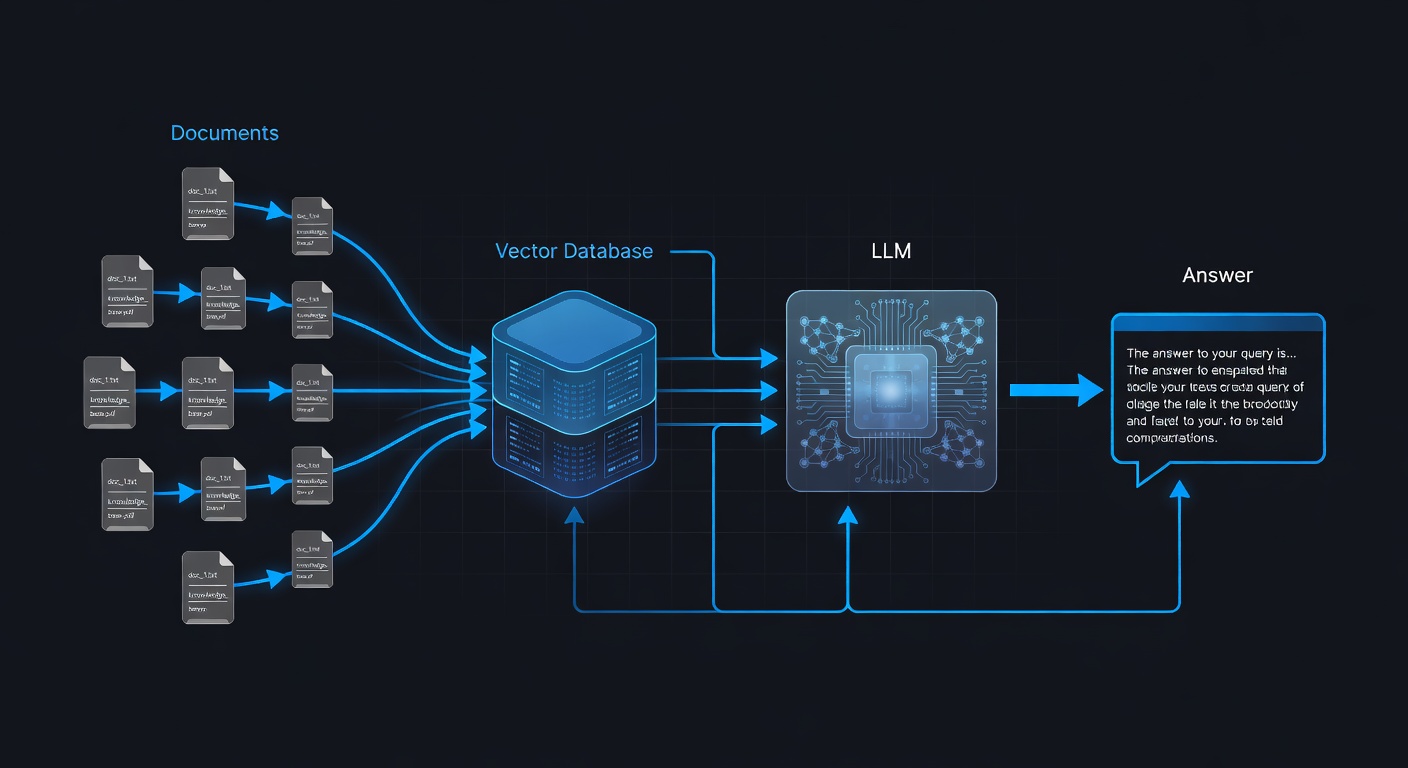
Retrieval-Augmented Generation (RAG) is the architecture that lets AI answer questions based on your own data. A vector database is the backbone of any RAG system.
Pinecone
The most mature managed vector database. Pinecone handles indexing, querying, and scaling without requiring you to manage infrastructure. It integrates cleanly with LangChain, LlamaIndex, and most agent frameworks.
- Pricing: Free tier available; starts scaling at $70/month for production
- Best for: Production RAG systems where you don’t want to manage infrastructure
- Strategic use: If you’re building a product with RAG at the core, Pinecone lets you focus on the application layer
Weaviate
An open-source vector database with excellent built-in hybrid search (combining semantic and keyword search). Can be self-hosted or used as a managed cloud service.
- Best for: Hybrid search, multi-tenancy, complex filtering
- Strategic use: Good choice when you need both semantic and keyword search, or when self-hosting is important
Chroma
The simplest option for getting started. Chroma is a lightweight, open-source vector database that runs in-memory or persists to disk. Ideal for development and small-scale production.
- Best for: Learning, prototyping, small-scale apps
- Strategic use: Start here; migrate to Pinecone or Weaviate as your data scales
Supabase pgvector
If you’re already on Postgres (e.g., via Supabase), pgvector gives you vector search without adding another service. Good enough for most apps that don’t have millions of vectors.
- Best for: Existing Postgres users; keeping the stack simple
- Strategic use: If you’re on Supabase or Postgres, this is the lowest-friction path to RAG
Category 4: AI Observability and Evaluation
One of the most overlooked parts of AI strategy is knowing whether your system is actually working. Observability tools help you monitor, debug, and improve your AI products over time.
LangSmith
LangChain’s observability platform. LangSmith traces every step in your chain or agent, shows token usage, latency, and errors, and lets you run evaluations against test datasets.
- Best for: Teams using LangChain/LangGraph
- Why it matters: Debugging a multi-step agent without tracing is guesswork
- Strategic use: Essential if you’re shipping a LangChain-based product
Braintrust
A model-agnostic evaluation platform. Braintrust lets you run experiments, compare models, and track performance over time using custom scorers and AI-graded evals.
- Best for: Teams iterating on prompts and comparing models
- Strategic use: If you’re serious about prompt engineering and want data to back your decisions
Helicone
A proxy-based observability layer that works with any OpenAI-compatible API. Add one line of code and get full request logging, cost tracking, caching, and rate limiting.
- Best for: Quick setup; works with any model
- Strategic use: The easiest way to get visibility into your API usage and costs without changing your architecture
Category 5: No-Code and Low-Code AI Builders
Not every part of your AI strategy requires writing code. These tools let you build and test AI workflows faster.
n8n
An open-source workflow automation tool with growing AI node support. Connect AI models to databases, APIs, messaging platforms, and more — with a visual workflow builder.
- Best for: Automating business processes; integrating AI with existing tools
- Strategic use: Excellent for building internal tools or client automations without custom code
Flowise
An open-source, visual LangChain builder. Drag and drop chains, agents, and memory components to prototype AI applications without writing code.
- Best for: Prototyping; non-developers who understand AI concepts
- Strategic use: Great for quickly testing an architecture before implementing it in code
Dify
A more polished, product-focused AI app builder. Dify supports RAG, agent workflows, and model management with a clean UI. It can be self-hosted or used as a cloud service.
- Best for: Building AI-powered internal tools quickly; teams without deep engineering resources
- Strategic use: If you’re building products for non-technical clients, Dify can dramatically reduce your development time
Category 6: Developer Productivity and AI Coding Tools

Your own productivity is part of your AI strategy. These tools help you build faster.
GitHub Copilot
Still the most widely adopted AI coding assistant. Copilot autocompletes code, explains functions, writes tests, and integrates into VS Code, JetBrains, and other editors.
- Pricing: $10/month individual; $19/month Business
- Strategic use: If you’re not using an AI coding assistant, you’re slower than your competition
Cursor
A VS Code fork with deeply integrated AI. Cursor lets you chat with your codebase, apply multi-file edits, and use models like Claude and GPT-4o directly in the editor. Many developers consider it a step above Copilot.
- Pricing: $20/month for Pro
- Strategic use: If you’re serious about AI-augmented development, Cursor’s contextual awareness is a productivity multiplier
Aider
An open-source command-line coding assistant that works directly with your Git repo. Aider sends diffs to the model and applies changes automatically — useful for automated refactoring and scripted code changes.
- Best for: Power users; automated large-scale refactoring; CI/CD integration
- Strategic use: Pair with LLaMA on Ollama for zero-cost AI-assisted development
Building Your AI Strategy: A Framework for Developers
With so many tools available, the question isn’t “which tools are best” in the abstract — it’s “which combination serves my specific goals.”
Here’s a practical framework:
Step 1: Define Your Goal
Are you building a product, automating a service, or upskilling? Your goal determines your tool selection. A freelancer automating client workflows needs different tools than a developer building a SaaS product.
Step 2: Start Simple
Don’t overbuild. A single OpenAI API call and a good prompt can solve a surprising number of problems. Reach for frameworks and databases when your use case genuinely requires them.
Step 3: Measure Everything
Without observability, you’re flying blind. Add LangSmith, Helicone, or Braintrust from day one. Know your token costs, latency, and failure rates.
Step 4: Iterate on Prompts Before Architecture
Most AI quality problems are prompt problems. Before refactoring your architecture, invest in prompt engineering. Small prompt changes can double quality at zero additional cost.
Step 5: Monetize Early
The best AI strategy includes a path to revenue. Whether you’re offering an AI service to clients, building a productized tool, or creating content around your AI expertise — start thinking about monetization from the first week. The How to Make Money with AI pillar page on learnAI covers this in depth.
Step 6: Stay Modular
The AI landscape changes monthly. Build your system so you can swap models and providers without rewriting your core logic. This means using abstractions (like LangChain’s model interface) and never hardcoding provider-specific code into your business logic.
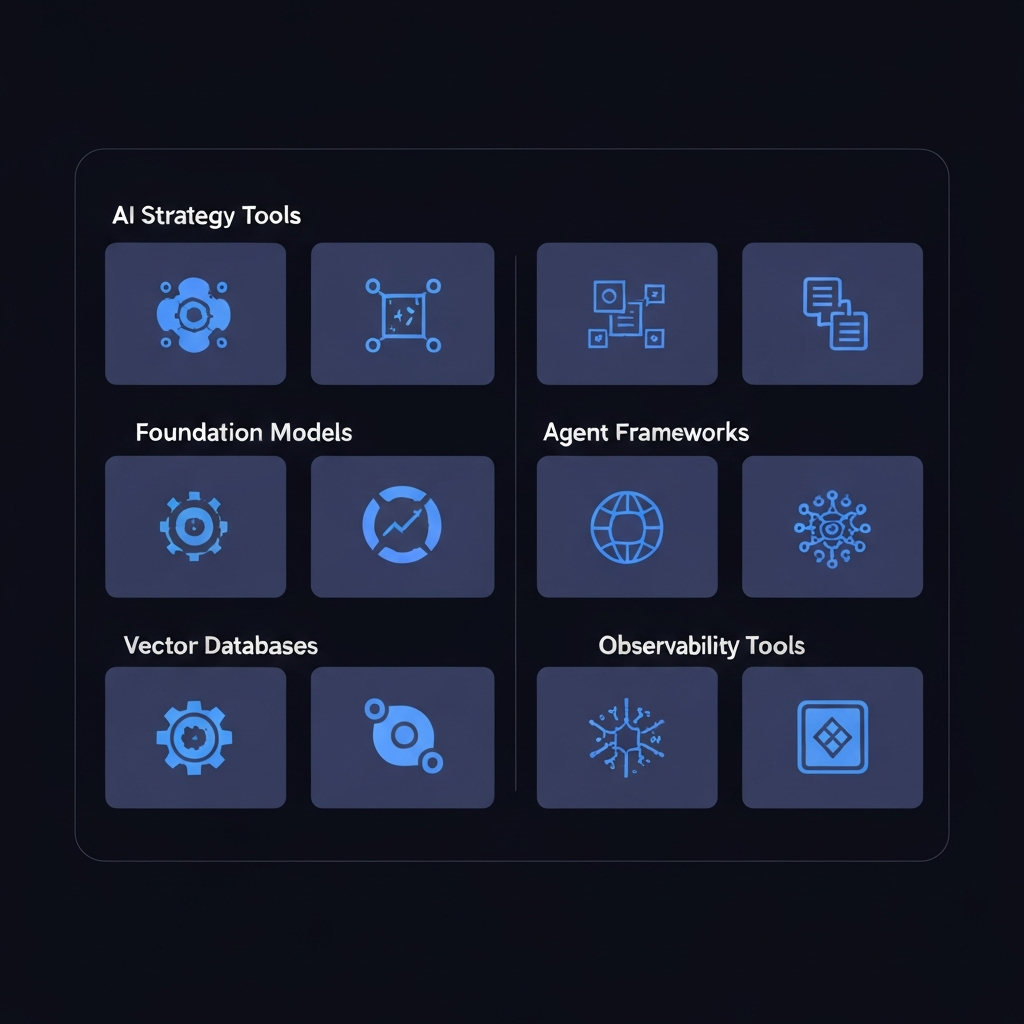
Comparison Summary Table
| Tool | Category | Best For | Pricing Model |
|---|---|---|---|
| OpenAI GPT-5 / GPT-5.3 Instant | Foundation Model | General production apps | Pay-per-token |
| OpenAI o3 / o3-pro | Foundation Model | Deep reasoning, complex tasks | Pay-per-token |
| Claude Opus 4.6 / Sonnet 4.6 | Foundation Model | Document processing, long context (1M tokens) | Pay-per-token |
| Gemini 3.1 Pro / Flash Lite | Foundation Model | Multimodal, high volume, cost-sensitive | Free tier + pay-per-token |
| Llama 4 Scout / Maverick | Foundation Model | Privacy-first, self-hosted, fine-tuning | Free (self-hosted) |
| LangGraph | Agent Framework | Production multi-agent systems | Open source |
| CrewAI | Agent Framework | Fast prototyping, role-based agents | Open source |
| Pinecone | Vector DB | Production RAG | Free tier, then paid |
| Chroma | Vector DB | Development & prototyping | Free (open source) |
| LangSmith | Observability | LangChain tracing & eval | Free tier |
| Helicone | Observability | Universal API logging | Free tier |
| Cursor | Dev Productivity | AI-powered coding | $20/month |
| n8n | Low-Code | Business process automation | Open source / Cloud |
| Dify | Low-Code | AI app building for clients | Open source / Cloud |
Real-World AI Strategy Patterns for Developers
Understanding tools is one thing — knowing how they combine in practice is another. Here are three patterns that experienced developers use regularly.
The RAG Product Pattern
Build a knowledge base from a client’s documents (PDFs, wikis, databases), chunk and embed them into a vector store (Chroma for prototyping, Pinecone for production), and serve a chat interface powered by Claude or GPT-4o. This pattern alone powers dozens of profitable AI products — from customer support bots to internal knowledge assistants. Stack: Claude + Pinecone + LangChain + Vercel AI SDK.
The Automation Agency Pattern
Use n8n or Make.com to wire together AI model calls with the client’s existing tools (CRM, email, Slack, spreadsheets). The developer writes lightweight prompt logic and connects the pipes. The client gets automated workflows; you get a recurring retainer. This is one of the fastest paths to revenue for AI-skilled developers. Stack: n8n + OpenAI API + client's existing tools.
The AI-Augmented SaaS Pattern
Take an existing category of SaaS (project management, writing tools, CRM) and add a layer of AI intelligence that makes the product dramatically more useful. You’re not competing on features — you’re competing on intelligence. Use Cursor to build fast, LangGraph for the agent logic, and LangSmith to monitor quality. Stack: Cursor + LangGraph + LangSmith + any foundation model.
Frequently Asked Questions
Do I need to pick one foundation model and stick with it?
Not at all. Most mature AI systems use multiple models strategically — a cheaper, faster model for simple tasks and a more capable model for complex reasoning. Abstracting your model calls through a unified interface makes this easy to manage.
Is LangChain still worth learning in 2026?
Yes, but with nuance. LangChain is useful for learning concepts and building quickly. For production systems, many developers migrate to leaner implementations or LangGraph for agent orchestration. Understanding LangChain helps you understand the ecosystem.
How do I keep my AI API costs under control?
Use observability from day one (Helicone is easiest to add). Cache identical or near-identical requests. Use smaller, cheaper models for routine tasks and reserve expensive models for genuinely complex reasoning. Add rate limiting to prevent runaway costs.
Should I self-host models or use APIs?
For most developers, managed APIs are the right starting point — lower operational overhead, no GPU costs, and faster iteration. Self-hosting makes sense when you have high volume (to reduce per-call costs), strict data privacy requirements, or need to fine-tune on proprietary data.
Conclusion
AI strategy for developers isn’t about having the most tools — it’s about choosing the right tools, combining them intelligently, and shipping things that create real value. The developers winning right now are the ones who’ve moved past “experimenting with AI” into building repeatable systems and products.
Start with a clear goal. Pick one foundation model. Add observability before you need it. Build modular. And never stop learning — the landscape will keep changing, but solid fundamentals compound.
Ready to learn AI? Join the learnAI community → learnAI Skool Community
Pingback: Prompt Engineering Tools for Productivity: The Complete 2026 Guide - learnai.sk
Pingback: Best Machine Learning Tools: The Complete 2026 Guide - learnai.sk
Pingback: Free AI Business Tools: The Complete Guide for 2026 - learnai.sk
Pingback: Free AI Agents Tools: The Complete Guide for 2026 - learnai.sk
Pingback: Meilleurs outils d’apprentissage automatique : le guide complet 2026 - learnai.sk
Pingback: Las mejores herramientas de aprendizaje automático: la guía completa de 2026 - learnai.sk