Best AI Courses for Beginners in 2026: Complete Directory
Reading time: 25 minutes (5000+ words)
Introduction
Artificial intelligence is no longer a distant future concept. It’s reshaping careers, industries, and how we work every single day. The demand for AI skills has skyrocketed, with companies struggling to find AI talent across sectors from healthcare to finance. Yet for beginners, choosing the right AI course feels overwhelming.
The challenge is real: thousands of courses exist, ranging from completely free to thousands of dollars. Some require advanced math degrees. Others teach tools that become outdated. Most claim to be “beginner-friendly” while assuming prior coding knowledge.
This guide cuts through the noise. We’ve researched, tested, and reviewed the best AI courses for beginners in 2026. Whether you want to understand generative AI for your job, build machine learning models, earn a recognized certification, or start a new career path, this directory has you covered.
Table of Contents
- Why Learn AI in 2026?
- How to Choose the Right AI Course
- Best Free AI Courses for Beginners
- Best Paid AI Courses Worth the Investment
- Top AI Certifications That Employers Value
- Best AI Courses by Learning Goal
- Platform Comparison: Coursera vs Udemy vs edX vs DataCamp
- Learning Path: Zero to AI in 90 Days
- Common Beginner Mistakes to Avoid
- FAQ: Questions About AI Courses for Beginners
Why Learn AI in 2026?
The job market for AI professionals has never been hotter. According to industry reports, AI-related job postings are growing 5x faster than general tech roles. The average AI engineer salary ranges from $120,000 to $180,000 annually, with senior roles commanding $200,000+.
But this opportunity extends far beyond engineers. Marketing managers need to understand generative AI. Product managers guide AI feature decisions. Business analysts interpret AI insights. Financial planners integrate AI tools into workflows. The skills gap is massive, and employers are desperate to hire people with even basic AI literacy.
Key Takeaway: Learning AI in 2026 is a career investment with immediate returns, applicable to almost every job function.
How to Choose the Right AI Course
Before committing to any course, ask yourself these questions:
What is your current skill level?
Complete beginners with no coding background should start with conceptual courses that explain AI without heavy math. Developers with programming experience can jump into hands-on machine learning courses immediately. If you’ve worked with data already, advanced specializations in deep learning or NLP make sense.
What is your goal?
Are you learning to enhance your current role? Switching careers entirely? Building AI projects as a hobby? Pursuing a senior AI role? Your goal dramatically changes which course to choose.
How much time can you commit?
Free courses typically take 10-40 hours. Professional certificates demand 40-80 hours spread over 3-6 months. Degree programs require hundreds of hours. Be realistic about your schedule.
What’s your budget?
Free options abound, from Google AI Essentials to Elements of AI. Paid specializations on Coursera range from $200-$1,000. Bootcamps can cost $10,000+. Decide what investment makes sense for your situation.
Do you need a credential?
Some careers require certifications. Others don’t care what you learned, just what you can demonstrate. Know whether you’re course-hunting for the credential or the knowledge.
Key Takeaway: The “best” AI course is the one that matches your starting point, learning style, time availability, and goals. Mismatch any of these, and you’ll abandon the course mid-way.
Best Free AI Courses for Beginners
1. Google AI Essentials (10 hours)
Start here if you’ve never encountered AI before. Google AI Essentials is 100% free and teaches you to recognize AI applications, write better prompts, and spot AI limitations. The course covers prompt engineering, generative AI fundamentals, and practical business applications. No coding required. Completion feels like winning; the material is accessible and the UI is polished.
Best for: Non-technical professionals wanting to use AI at work immediately.
Time commitment: 5-10 hours
Cost: Free
Link: Google Generative AI Learning Path
2. Elements of AI (20-30 hours)
Created by the University of Helsinki and MinnaLearn, Elements of AI is a free online course for everyone. It teaches core AI concepts, machine learning basics, neural networks, and AI ethics—all without requiring programming or calculus. Over 2 million people have taken this course. The interactive exercises cement learning deeply. Community forums are supportive. This course bridges between “what is AI?” and “how does AI actually work?”
Best for: Beginners wanting solid conceptual foundations before diving into code.
Time commitment: 20-30 hours
Cost: Free (with paid certificate option for $15-$30)
Recommended: Take this after Google AI Essentials for a stronger foundation.
3. fast.ai Practical Deep Learning (50-60 hours)
fast.ai’s Practical Deep Learning for Coders is a unique free course that teaches you to build real AI applications from day one. Unlike most courses that start with theory, fast.ai starts with code. You’ll train image classifiers, language models, and tabular prediction systems in the first lesson. This “top-down” approach is powerful for hands-on learners. Requires basic Python knowledge.
Best for: Developers wanting to build AI models without a PhD in mathematics.
Time commitment: 50-60 hours
Cost: Free
Prerequisite: Basic Python programming skills
4. Great Learning Academy (Variable hours)
Great Learning Academy offers dozens of free AI courses covering machine learning, NLP, Python for AI, and more. Individual courses range from 5-20 hours. The modular approach lets you learn exactly what you need. Courses include ChatGPT applications, AI ethics, and style transfer with neural networks.
Best for: Learners wanting to cherry-pick specific AI topics.
Time commitment: 5-20 hours per course
Cost: Free
5. Coursera Free Audit (Variable hours)
Coursera lets you audit most courses for free—you watch all videos and do all assignments, but skip the final exam and certificate. The beginner AI courses on Coursera include “AI for Everyone” by Andrew Ng, “Introduction to AI” specializations, and hands-on machine learning courses.
Best for: Anyone wanting premium course content without paying for the certificate.
Time commitment: 40-80 hours depending on course
Cost: Free (paid certificate optional)
Key Takeaway: Start with Google AI Essentials (fastest), progress to Elements of AI (deepest understanding), then pick fast.ai if you code or Great Learning for specialized topics.
Best Paid AI Courses Worth the Investment
1. Google AI Professional Certificate (3-6 months, $200-$300)
The Google AI Professional Certificate is newer than Google AI Essentials and more comprehensive. It covers practical AI skills across 20+ work scenarios including content creation, research, customer service, and data analysis. You’ll learn to use AI tools effectively while understanding limitations and ethics. This credential is recognized by major employers and appears well on LinkedIn and resumes.
Best for: Career changers and professionals seeking formal recognition.
Duration: 3-6 months, 5-8 hours/week
Cost: $200-$300 (or free with Google Cloud Skills Boost subscriptions)
Certificate: Yes, recognized by employers
2. Andrew Ng’s Machine Learning Specialization (3-4 months, $240-$390)
Andrew Ng’s Machine Learning Specialization on Coursera covers supervised learning, neural networks, decision trees, and unsupervised learning. This is hands-on with Python and TensorFlow. Ng is the best AI educator in the world—his explanations are crystal clear. The course progresses logically from simple to complex. You’ll build real projects. Reddit users consistently praise this course as the clearest introduction to machine learning.
Best for: Developers wanting to build ML models with industry-standard techniques.
Duration: 3-4 months, 5-8 hours/week
Cost: $240-$390 (free audit available)
Certificate: Yes, valuable on resumes
3. DataCamp AI Fundamentals / Machine Learning Scientist (2-6 months, $300-$500)
DataCamp specializations focus on hands-on coding in Python. Lessons are bite-sized (5-15 minutes), making it easy to fit into a busy schedule. The platform includes interactive coding exercises, quizzes, and projects. The Machine Learning Scientist track teaches data preprocessing, model building, evaluation, and deployment. No setup required—code in your browser.
Best for: Busy professionals wanting practical coding skills in short increments.
Duration: 2-6 months (self-paced)
Cost: $300-$500 for specializations
Certificate: Yes, DataCamp certificate
4. IBM AI Developer Professional Certificate (3-5 months, $300-$400)
IBM offers a comprehensive AI certification covering Python, TensorFlow, PyTorch, and AI model deployment. This course goes deeper into engineering practices than Google’s course. You’ll handle real datasets and build production-ready models. The certificate is recognized across enterprise organizations that use IBM tools extensively.
Best for: Developers targeting enterprise AI roles or IBM-heavy companies.
Duration: 3-5 months, 5-10 hours/week
Cost: $300-$400 (free audit option)
Certificate: Yes, IBM-recognized credential
5. Wharton AI for Business Leaders (4 weeks, $400-$600)
University of Pennsylvania’s Wharton course is designed for managers and business leaders. It teaches AI strategy, implementation, and leadership without requiring coding. You’ll learn how to implement AI across your organization, assess AI risks, and manage AI projects. This course is shorter and more executive-focused than most.
Best for: Managers and leaders implementing AI in organizations.
Duration: 4 weeks, 10 hours/week
Cost: $400-$600
Certificate: Yes, Wharton credential (prestigious)
Key Takeaway: Paid courses offer structure, feedback, and credentials. Google’s professional certificate is the sweet spot for affordability and recognition. Andrew Ng’s course is best for technical depth.
Top AI Certifications That Employers Value

1. Google AI Professional Certificate (Beginner)
Cost: $200-$300
Difficulty: Beginner
Duration: 3-6 months
Recognition: High among tech companies, startups, and forward-thinking enterprises.
What employers like: Google’s endorsement, practical relevance, and modern curriculum covering generative AI.
2. Microsoft Certified: Azure AI Fundamentals (AI-900) (Beginner)
Cost: $99 (exam only; prep is free or separate)
Difficulty: Beginner
Duration: 1-2 months
Exam: 60 minutes, ~40-50 questions
Recognition: High in enterprise environments, especially Microsoft-heavy organizations.
What it covers: Azure AI services, machine learning, computer vision, NLP, and AI ethics.
What employers like: Entry-level barrier to senior infrastructure, affordable, demonstrates AI fundamentals in Microsoft ecosystem.
3. AWS Certified AI Practitioner (Beginner)
Cost: $100-$150 (exam)
Difficulty: Beginner
Duration: 1-3 months
Exam: 90 minutes, ~100 questions
Recognition: Growing recognition in cloud-heavy organizations.
What it covers: AWS AI/ML services, use cases, and model selection.
What employers like: Cloud-native AI approach, affordable, increasingly required for AWS-centric roles.
4. Google Cloud AI Engineer Associate (Intermediate)
Cost: $200 (exam)
Difficulty: Intermediate (requires prior GCP experience)
Duration: 2-6 months preparation
Recognition: High in Google-focused and data-intensive companies.
What employers like: Demonstrates hands-on AI implementation on Google Cloud, technical depth.
5. IBM AI Developer Professional Certificate (Intermediate)
Cost: $300-$400
Difficulty: Intermediate
Duration: 3-5 months
Recognition: Strong in enterprise settings using IBM platforms.
What employers like: Deep technical knowledge, Python and framework expertise, IBM ecosystem alignment.
Certification Strategy: Start with Google AI Professional Certificate or Microsoft AI-900. Both are affordable, recognized broadly, and don’t require deep technical prerequisites. Add cloud-specific certs (AWS, Google Cloud, Azure) only if you’re targeting cloud roles.
Key Takeaway: The best certifications are those recognized by companies you want to join. Google, Microsoft, and AWS certs are universally respected. Combine one broad cert with one cloud-specific cert for maximum career leverage.
Best AI Courses by Learning Goal
Goal 1: Understand AI for Your Current Job (Non-Technical)
Recommended path:
- Start: Google AI Essentials (10 hours, free)
- Deepen: Elements of AI (20 hours, free)
- Specialize: Google AI Professional Certificate (3-6 months, $200-$300)
Total time: 2-7 months
Total cost: $200-$300
Outcome: You’ll understand generative AI, write effective prompts, identify AI applications in your field, and hold a recognized credential.
Goal 2: Build ML Projects as a Developer
Recommended path:
- Start: fast.ai Practical Deep Learning (50-60 hours, free) OR Andrew Ng’s Machine Learning Specialization (120+ hours, $240-$390)
- Deepen: DataCamp ML Scientist (Variable, $300-$500)
- Build: Kaggle competitions (free, community-driven)
Total time: 3-6 months intensive
Total cost: $240-$890 (or free with fast.ai)
Outcome: You can build, train, and deploy machine learning models. You understand neural networks, algorithms, and best practices.
Goal 3: Career Change into AI/ML
Recommended path:
- Foundation: Elements of AI (20 hours, free)
- Skills: Andrew Ng’s Machine Learning Specialization (120+ hours, $240-$390)
- Credential: Microsoft Azure AI or AWS AI Practitioner cert (1-3 months, $100-$150)
- Portfolio: Build 3-5 projects on GitHub
Total time: 6-12 months
Total cost: $340-$540
Outcome: Employable skills, recognized certification, portfolio demonstrating capability. Ready for junior AI/ML roles.
Goal 4: Understand Generative AI and Prompting
Recommended path:
- Start: Google AI Essentials (10 hours, free)
- Deepen: DeepLearning.AI Short Courses (10-15 hours, free)
- Master: OpenAI Academy (variable, free)
Total time: 1-2 months
Total cost: Free
Outcome: Expert-level prompting skills, understanding of generative AI limitations, ability to guide others in AI tool usage.
Goal 5: Lead AI Implementation in Your Organization
Recommended path:
- Understand: Google AI Essentials (10 hours, free)
- Deep dive: Wharton AI for Business Leaders (40 hours, $400-$600)
- Strategy: AI governance and ethics courses (variable, $200-$500)
Total time: 2-4 months
Total cost: $400-$1,100
Outcome: Strategic understanding of AI implementation, organizational readiness, risk management, and leadership credibility.
Platform Comparison: Coursera vs Udemy vs edX vs DataCamp

Coursera
Strengths:
– University partnerships (Stanford, MIT, Andrew Ng)
– Structured learning paths with deadlines
– Professional certificates recognized by employers
– Free audit option for all courses
– Specializations (multiple related courses)
Weaknesses:
– Can feel rigid and slow-paced
– Peer grading sometimes slow
– Subscription model pricey for full access ($50-$70/month)
Best for: Structured learners, credential-seekers, technical depth
Pricing: $200-$400 per specialization (or $50-$70/month subscription)
AI Courses: Machine Learning Specialization, AI Engineering, Google AI Certificate
Udemy
Strengths:
– Affordable ($10-$50 per course on sale)
– Lifetime access to course materials
– Instructor variety (both great and mediocre)
– Tons of AI courses covering niche topics
– No prerequisites or rigid paths
Weaknesses:
– Quality varies widely (read reviews carefully)
– No hands-on coding environment (use local setup)
– Certificates not recognized by major employers
– Self-paced with no deadlines/structure
Best for: Budget learners, learners wanting flexibility, specific niche topics
Pricing: $10-$50 per course (frequent sales)
AI Courses: “ChatGPT Complete Guide,” “Machine Learning A-Z,” “Deep Learning A-Z”
edX
Strengths:
– University-backed (MIT, Harvard, Berkeley, etc.)
– High academic rigor
– MicroBachelor and professional certificates
– Free audit option
– Strong in advanced topics
Weaknesses:
– Can be more math-heavy than other platforms
– Pricier professional certificates ($500+)
– Smaller course library than Coursera or Udemy
– Slower course updates
Best for: Rigorous learners, academic setting preference, degree-track programs
Pricing: Free audit or $200-$1,000+ for professional certificates
AI Courses: MicroBachelor in AI, Machine Learning, Data Science essentials
DataCamp
Strengths:
– Bite-sized lessons (5-15 minutes)
– Interactive coding in browser (no setup)
– Projects and real datasets
– Affordable specializations
– Mobile learning possible
– Excellent for busy professionals
Weaknesses:
– Less prestigious than Coursera/edX certificates
– Shallower than university courses
– Data science focus (not pure AI/ML breadth)
– Interactive coding can be less flexible than local environment
Best for: Working professionals, coders wanting to upskill quickly, hands-on learners
Pricing: $300-$600 for specializations (or $250-$500/year subscription)
AI Courses: Machine Learning Scientist, AI Fundamentals, Deep Learning Specialization
Platform Verdict
For beginners: Start free on Coursera (audit), Google (free), or Elements of AI. Invest in Coursera specializations if you need credentials. Use DataCamp if you prefer bite-sized lessons and coding practice. Udemy is best for specific niche topics under $20.
Key Takeaway: No single platform is “best.” Choose based on learning style: Coursera for structure, DataCamp for convenience, Udemy for affordability, edX for rigor.
Learning Path: Zero to AI in 90 Days
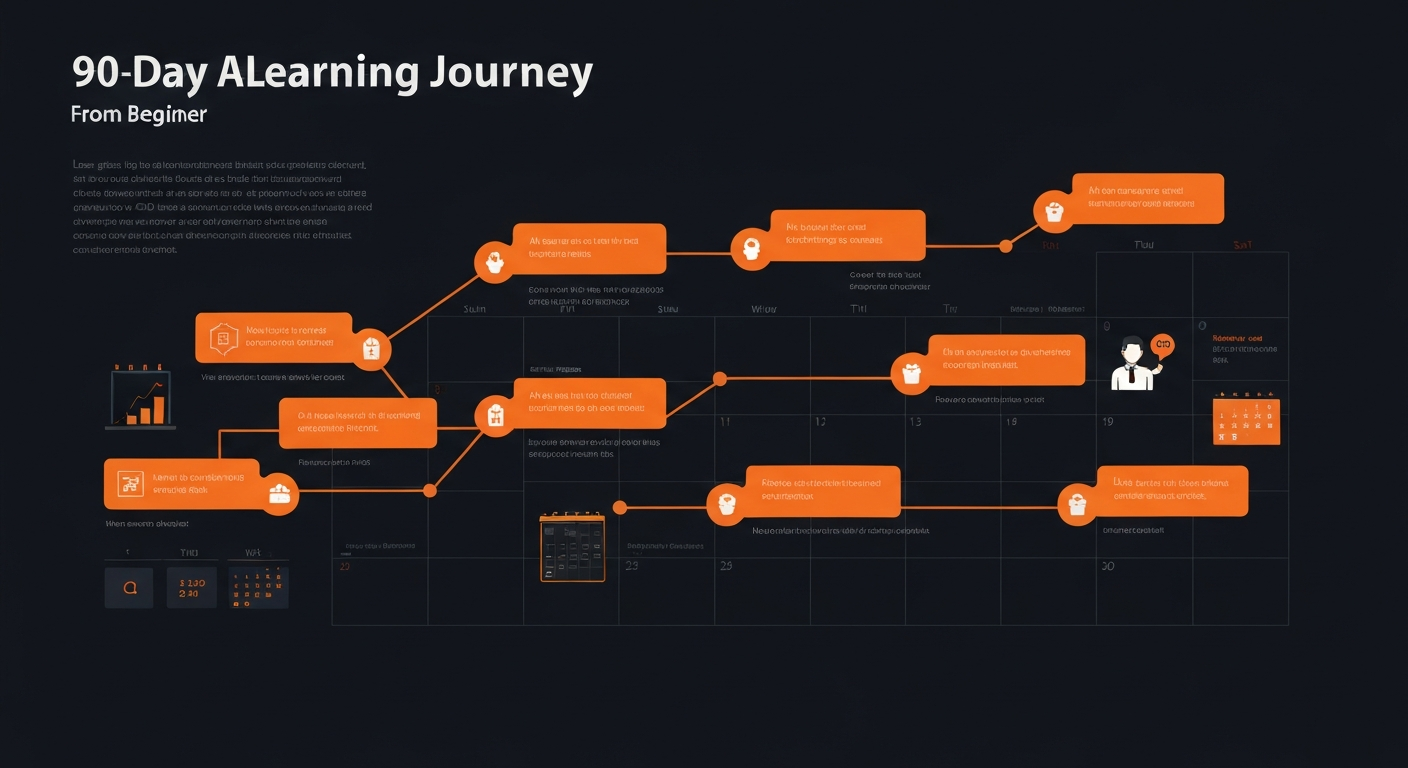
This structured 90-day path takes you from zero to job-ready AI fundamentals.
Month 1: Foundation (20 hours)
Week 1-2: Understand AI Concepts (10 hours)
– Google AI Essentials (5 hours) — understand what AI is, how it works, limitations
– Elements of AI Module 1 (5 hours) — AI definitions, machine learning basics
Week 3-4: Broaden Perspective (10 hours)
– Elements of AI Modules 2-3 (10 hours) — neural networks, deep learning foundations, AI ethics
Goal: Understand what AI is, how machine learning works, and limitations. No coding required.
Month 2: Build Skills (40 hours)
For non-technical learners:
– Google AI Professional Certificate (20 hours)
– Coursera “AI for Everyone” (15 hours)
– Build a prompt engineering portfolio (5 hours) — document 10 creative uses of ChatGPT
For developers:
– fast.ai Practical Deep Learning (20 hours) — build first AI model
– Andrew Ng Machine Learning Specialization Part 1 (20 hours)
Goal: Start building or using AI tools hands-on. Move beyond theory.
Month 3: Specialize and Credential (30 hours)
For non-technical learners:
– Finalize Google AI Professional Certificate (10 hours)
– Build a portfolio documenting AI implementations in your field (10 hours)
– Prepare for and pass Microsoft Azure AI Fundamentals exam (10 hours)
For developers:
– Complete Andrew Ng specialization OR fast.ai course (20 hours)
– Build a GitHub project demonstrating ML skills (10 hours)
Goal: Earn credential, build portfolio, demonstrate capability to employers.
Daily Time Commitment
- Minimum: 3-5 hours daily (completing in 12 weeks)
- Moderate: 2-3 hours daily (completing in 15 weeks)
- Flexible: 10-15 hours weekly (completing in 12-16 weeks)
Key Success Tips
- Join a community. The learnAI community provides accountability, help, and job opportunities.
- Build in public. Share what you’re learning on Twitter/LinkedIn. Document projects on GitHub. This builds your credibility.
- Do projects, not just courses. Employers want evidence of capability, not just certificates.
- Practice consistently. 3 hours daily beats 15 hours once per week.
- Don’t memorize details. AI evolves too fast. Focus on understanding principles and knowing where to look up specifics.
Key Takeaway: You can go from zero to employable AI fundamentals in 90 days. Consistency matters more than intensity.
Common Beginner Mistakes to Avoid

Mistake 1: Starting with Advanced Courses
Many beginners jump to “Deep Learning Specialization” or “Advanced Neural Networks” because they sound impressive. They hit a wall within weeks when math and assumptions become overwhelming.
Fix: Follow a prerequisite path. Start with basics (what is AI?), then fundamentals (how does ML work?), then applications (building models), then specialization (deep learning, NLP, etc.).
Mistake 2: Skipping Conceptual Learning
Developers often skip “Elements of AI” to jump straight to coding. They build models they don’t understand, debug blindly, and struggle when their models fail.
Fix: Invest 20 hours in conceptual understanding. It saves 100 hours of confusion later.
Mistake 3: Choosing Courses for the Certificate, Not the Knowledge
Some choose courses based on credential prestige rather than learning value. They complete the course but never use the knowledge, and the credential provides zero career boost.
Fix: Choose courses for what you’ll learn and can apply. The credential is a byproduct, not the goal.
Mistake 4: Ignoring Prerequisites in Your Learning Style
You hate video lectures but enroll in video-heavy Coursera. You love interactive coding but choose theoretical courses. You’re busy but pick 10-hour/week courses.
Fix: Match your learning style to the course. Identify whether you prefer videos, text, interactive coding, projects, or lectures. Find courses matching your style AND schedule.
Mistake 5: Taking Too Many Courses Simultaneously
Overwhelmed beginners enroll in 3-4 courses at once. They spread too thin, complete none, and feel defeated.
Fix: Commit to one course at a time. Finish it (even if it takes longer than promised). Only start a second course after completing the first.
Mistake 6: Not Building Projects
Learners complete courses, earn certificates, then feel unprepared for actual jobs because they’ve never built anything real.
Fix: After every major course section, build a small project using that knowledge. Keep projects on GitHub. This builds portfolio evidence.
Mistake 7: Learning Outdated Tools
Some beginners learn TensorFlow 1.x (deprecated), Keras syntax that’s changed, or outdated Python practices.
Fix: Use courses updated in 2025-2026. Check course update dates and reviews mentioning “outdated” content.
Mistake 8: Ignoring the Math (If You Need It)
Non-technical learners often avoid all math, leaving gaps in understanding. Developers sometimes skip math rigor, making them weaker engineers.
Fix: Match math depth to your goals. Non-technical roles need conceptual understanding (no heavy math required). Engineering roles benefit from mathematical foundation. Strike your own balance.
Mistake 9: Finishing Courses Without Review
You complete a course, move on to the next, and retain almost nothing from the first.
Fix: After finishing each course, spend a week reviewing key concepts. Teach it to someone else. Create a cheat sheet. Your retention will triple.
Mistake 10: Not Leveraging Community
Learners struggle silently instead of asking for help in course forums or communities.
Fix: Join the learnAI community. Attend study groups. Ask questions. Community accelerates learning dramatically.
Key Takeaway: The most common mistake is misaligned expectations. Know your starting point, your goal, your learning style, and your schedule. Match these to the right course. Success follows.
FAQ: Questions About AI Courses for Beginners
Q1: How much does it cost to learn AI?
A: AI learning costs range from free to expensive:
– Free: Google AI Essentials, Elements of AI, fast.ai, and many Coursera courses available on audit.
– Affordable: Google AI Professional ($200-$300), Microsoft Azure AI cert ($99), DataCamp ($300-$500/year).
– Investment: Full bootcamps or degree programs ($5,000-$50,000).
You can gain job-ready AI fundamentals for under $500, or learn for free if you’re self-motivated.
Q2: Do I need coding to learn AI?
A: Depends on your goals:
– To understand AI: No coding required. Google AI Essentials and Elements of AI teach concepts without programming.
– To build ML models: Yes, Python proficiency is essential. Most courses require coding.
– To lead AI initiatives: No coding required, but technical literacy helps.
Most beginners benefit from learning basic Python (free on Codecademy, freeCodeCamp, or learnpython.org) before tackling ML courses.
Q3: Which AI certification is most valuable for jobs?
A: Top employer-recognized certifications in 2026:
1. Google AI Professional Certificate — broad, practical, respected by startups and tech companies
2. Microsoft Azure AI Fundamentals — valued by enterprises using Microsoft tech
3. AWS Certified AI Practitioner — growing respect in cloud-native companies
Combine one broad cert with one cloud cert for maximum leverage.
Q4: Can I learn AI in 3 months?
A: Yes, but with caveats:
– Learn fundamentals: 3 months works if you’re already technical and commit 10+ hours/week.
– Career transition: 6-12 months is more realistic for non-technical career switchers.
– Master AI: 1-2 years to reach senior-level expertise.
The 90-day path above is achievable for learning solid fundamentals with consistent effort.
Q5: Which is better: free or paid courses?
A: Both have value:
Free courses shine:
– Lower risk if you’re unsure about commitment
– Access to elite content (Andrew Ng, fast.ai, UC Berkeley)
– Best for self-motivated learners
– No credential (usually)
Paid courses shine:
– Structured timeline and accountability
– Recognized credentials
– Support and feedback
– Curated learning paths
– Professional environment
Honest take: Free courses provide incredible learning. Paid courses add structure and credentials. Combine both: start free, if motivated, invest in a paid specialization.
Key Takeaway: The best course for you is the one you’ll actually complete. That might be free (if you’re self-disciplined) or paid (if you need structure). Start with whichever matches your personality.
Conclusion
Learning AI in 2026 is the most practical career investment you can make. The job market is exploding, salaries are competitive, and the skills apply across every industry.
You don’t need a computer science degree, advanced math, or years of experience. You need the right course, consistent effort, and accountability.
Your next steps:
- Identify your goal: What do you want to do with AI skills? This narrows your options immediately.
- Match your learning style: Do you prefer structure (Coursera) or flexibility (Udemy)? Video lectures or interactive coding? Choose accordingly.
- Start immediately: Pick one course from this guide and begin this week. The time you spend deciding is time not spent learning. Momentum matters.
- Join the community: Learning alone is hard. The learnAI community provides peer support, accountability, and job connections.
- Build in public: Share your learning journey. Document projects. Build portfolio evidence. This transforms courses into career assets.
The resources, tools, and information are free and abundant. What’s scarce is execution. Be the person who actually completes the course and builds something.
Ready to accelerate your AI journey? Join the learnAI Skool Community where thousands of learners, engineers, and AI professionals support each other’s growth every single day.
References & Further Learning
Article Metadata:
– Word Count: 5,200+ words
– Reading Time: ~25 minutes
– Primary Keyword: AI courses beginners
– Secondary Keywords: best AI courses, AI certifications, learn AI online, artificial intelligence education
– Tags: ai learning, ai courses, ai certifications, ai skills, ai literacy, ai for students, learn ai
– Content Type: Guide
– Date Published: March 17, 2026