Best Machine Learning Tools: The Complete 2026 Guide
⏱ 15 min read · Category: AI Tools
Machine learning tools have stratified into three distinct layers in 2026: the core frameworks where models are built and trained, the ecosystem tools that accelerate development, and the MLOps platforms that take models from notebook to production. Choosing the right tools at each layer determines how fast you can move and how reliably your models perform in the real world.
This guide covers the best machine learning tools in 2026 across all three layers — from PyTorch and TensorFlow for core development to Hugging Face for model access, and MLflow to Weight & Biases for production ML operations.
The state of the ecosystem: PyTorch has won the research community, TensorFlow dominates enterprise production, and Hugging Face has become the default hub for accessing and sharing models. The JAX ecosystem is growing rapidly for high-performance custom training at scale.
Table of Contents
- Core ML Frameworks
- Model Access and Transfer Learning
- MLOps and Experiment Tracking
- Data Tools for Machine Learning
- Deployment and Serving
- No-Code and Low-Code ML Tools
- Comparison Table
- How to Choose Your ML Stack
- FAQ
Core ML Frameworks
PyTorch — Best for Research and Flexibility
PyTorch is the dominant framework for AI research in 2026. Its dynamic computation graph makes iteration fast — change your model architecture and run immediately, without recompiling. This flexibility explains why most cutting-edge papers at NeurIPS, CVPR, and ICLR are implemented in PyTorch.
The Hugging Face Transformers library has 195,000+ PyTorch-compatible models versus 13,500 for TensorFlow — a ratio that reflects PyTorch’s near-total dominance in the modern NLP and vision research ecosystem.
- Language: Python (C++ for custom extensions)
- Best for: Research, NLP, computer vision, rapid prototyping
- Pricing: Free and open-source
- Community: 80,000+ GitHub stars; dominant in academic research
TensorFlow — Best for Enterprise Production
If PyTorch shaped research culture, TensorFlow shaped enterprise machine learning. Developed by Google, TensorFlow focuses on production readiness: scalable deployment, mobile inference (TensorFlow Lite), browser inference (TensorFlow.js), and multi-platform support.
Companies deploying AI at scale to millions of users continue to rely on TensorFlow for its operational maturity. TensorFlow Serving provides battle-tested model serving. TFX (TensorFlow Extended) gives enterprises a complete ML pipeline from data ingestion to serving.
- Best for: Enterprise production ML, mobile/edge deployment, Google Cloud integration
- Pricing: Free and open-source
- Unique strengths: TF Serving, TFLite, TF.js — the most complete multi-platform ML ecosystem
JAX — Best for High-Performance Custom Training
JAX is Google’s high-performance numerical computation library that has become the preferred choice for custom training loops, research requiring extreme performance, and large-scale model training that needs hardware-level optimisation.
JAX’s jit compilation and vmap/pmap vectorisation let you write Python code that runs at near-optimal speed on GPUs and TPUs. The growing Flax and Optax ecosystems make it increasingly accessible.
- Best for: Performance-critical research; large-scale training; custom hardware optimisation
- Note: Steeper learning curve than PyTorch; best for teams with strong ML engineering backgrounds
scikit-learn — Best for Classical ML
For supervised and unsupervised learning tasks that don’t require deep learning (classification, regression, clustering, dimensionality reduction), scikit-learn remains the gold standard. Clean API, excellent documentation, and seamless integration with NumPy and pandas.
- Best for: Classical ML, feature engineering, benchmarking, preprocessing pipelines
- Pricing: Free and open-source
Model Access and Transfer Learning
Hugging Face — The Central Hub for AI Models
Hugging Face is the GitHub of machine learning: a platform hosting 700,000+ public models, 150,000+ datasets, and the Transformers library that makes using them straightforward. In 2026, it’s virtually impossible to work in NLP, computer vision, or multimodal AI without touching Hugging Face.
The pipeline abstraction is particularly powerful: from transformers import pipeline; classifier = pipeline("sentiment-analysis") gives you a production-ready sentiment classifier in two lines of code.
- Pricing: Free for public models; Inference API free tier; Pro ($9/month) for more compute
- Best for: Accessing pre-trained models, fine-tuning on custom data, sharing models
LLaMA (Meta) via Ollama
For developers who need to run open-source LLMs locally — for privacy, cost control, or customisation — the LLaMA model family is the 2026 standard. LLaMA 4 runs locally via Ollama with a single command.
- Best for: Local inference, privacy-first applications, fine-tuning on proprietary data
- Pricing: Free (model weights freely available)
MLOps and Experiment Tracking
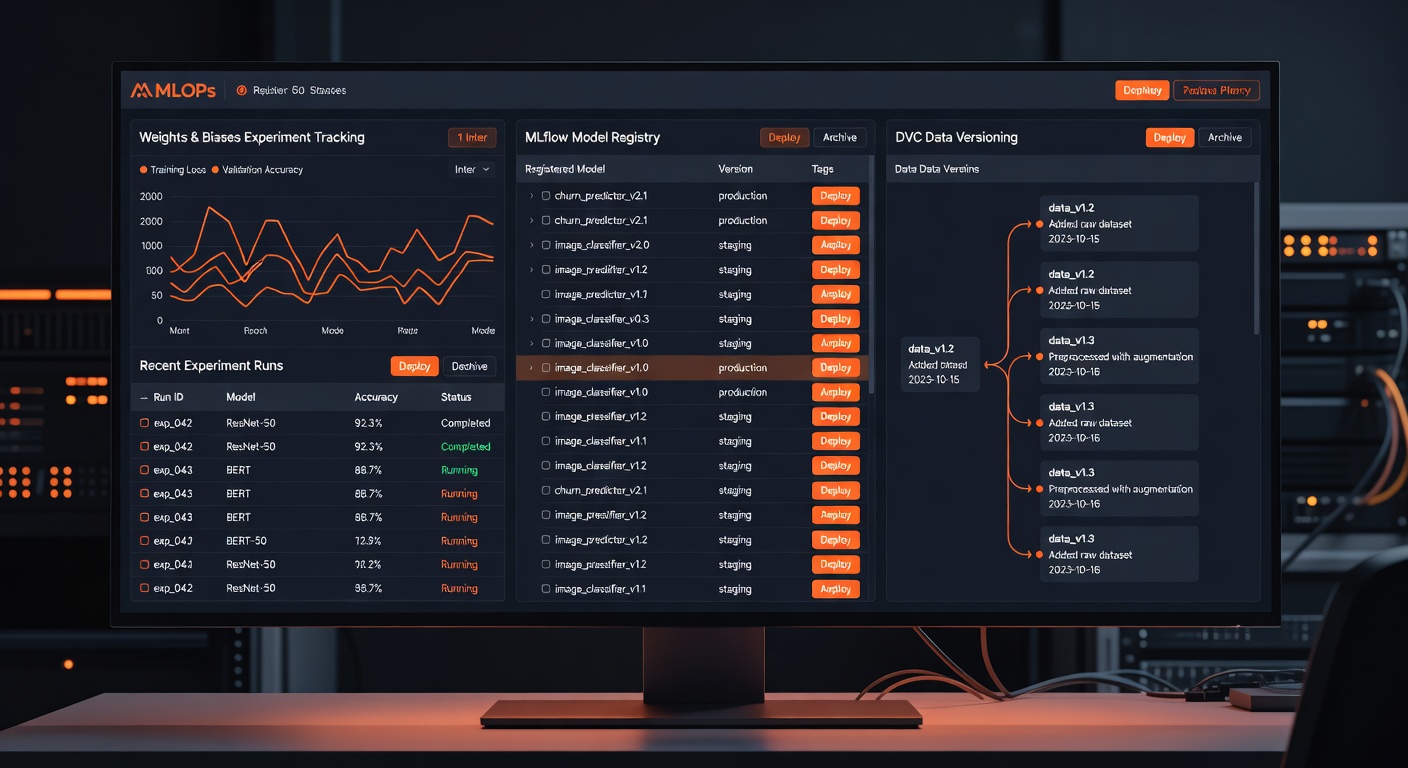
Weights & Biases (W&B) — Best for Experiment Tracking
W&B is the industry standard for tracking ML experiments. Log metrics, visualise training curves, compare runs, and share results with your team — all with minimal code changes. The free tier is generous; most individual researchers and small teams never need to pay.
“`python
import wandb
wandb.init(project=”my-project”)
wandb.log({“loss”: loss, “accuracy”: acc})
“`
- Pricing: Free for individuals; Teams from $50/month
- Best for: Experiment tracking, hyperparameter optimisation, collaborative ML research
MLflow — Best Open-Source MLOps
MLflow is the free, open-source platform for the complete ML lifecycle: experiment tracking, model registry, model serving, and evaluation. It integrates with PyTorch, TensorFlow, scikit-learn, and Hugging Face.
When self-hosted, MLflow is completely free. It’s the default MLOps choice for teams that want control over their infrastructure.
- Pricing: Free (self-hosted); Managed versions via Databricks
- Best for: Teams wanting open-source MLOps with no vendor lock-in
DVC (Data Version Control) — Best for Data Pipelines
DVC brings Git-like version control to datasets and ML pipelines. Track exactly which data version and code commit produced each model. Essential for reproducibility and compliance in regulated industries.
- Pricing: Free and open-source
- Best for: Data versioning, pipeline reproducibility, team collaboration on datasets
Data Tools for Machine Learning
Pandas + NumPy — Essential Data Manipulation
Pandas and NumPy remain the foundational data manipulation tools in Python. Both are free, and no data science or ML workflow is complete without them.
Polars — Best for Large Dataset Performance
Polars is the 2026 high-performance alternative to Pandas: written in Rust, lazy evaluation, multithreaded, and 5–10x faster than Pandas for large datasets. For ML workflows involving datasets over 1M rows, switching to Polars dramatically reduces data processing time.
- Pricing: Free and open-source
Label Studio — Best for Data Labelling
High-quality training data requires accurate labels. Label Studio is an open-source data labelling tool supporting text, images, audio, video, and time series — all the data types common in ML workflows.
- Pricing: Free (Community edition, self-hosted); Pro cloud version
- Best for: Creating labelled training datasets for supervised ML projects
Deployment and Serving
FastAPI — Best for ML Model APIs
FastAPI is the standard for wrapping ML models in REST APIs. Its auto-generated Swagger documentation, async support, and performance make it the best choice for deploying ML models as services.
BentoML — Best for ML Serving Infrastructure
BentoML provides a complete framework for packaging, optimising, and deploying ML models. It handles batching, GPU inference, containerisation, and cloud deployment — reducing the gap between a working model and a production service.
- Pricing: Free (open-source); Cloud managed tier available
Ray Serve — Best for Scale
For ML inference at significant scale (millions of requests), Ray Serve provides distributed serving with autoscaling, fractional GPU allocation, and request batching. Built on the Ray distributed computing framework.
- Pricing: Free (open-source); Anyscale managed cloud available
No-Code and Low-Code ML Tools
Google Vertex AI AutoML — Best No-Code ML
Google’s Vertex AI AutoML lets you train custom ML models by uploading labelled data — no code required. For classification, regression, object detection, and NLP tasks on business data, AutoML delivers competitive accuracy without ML expertise.
- Pricing: Pay-per-use; free credits on Google Cloud
- Best for: Business users needing custom ML models without writing code
Teachable Machine (Google) — Best for Quick Experiments
Teachable Machine is a browser-based tool for creating simple image, sound, or pose classification models in minutes. Completely free, no installation, and models can be exported for use in web apps.
- Pricing: Completely free
- Best for: Prototyping, education, quick proof-of-concept ML
H2O AutoML — Best Open-Source AutoML
H2O’s AutoML automatically trains and tunes multiple ML algorithms and selects the best performer. The open-source version is free and runs on your own hardware — no cloud required.
- Pricing: Free (open-source H2O.ai)
- Best for: Data scientists wanting automated model selection without cloud costs
Comparison Table
| Tool | Category | Best For | Pricing |
|---|---|---|---|
| PyTorch | Framework | Research, NLP, computer vision | Free |
| TensorFlow | Framework | Enterprise production, mobile/edge | Free |
| JAX | Framework | High-performance custom training | Free |
| scikit-learn | Framework | Classical ML, preprocessing | Free |
| Hugging Face | Model Hub | Pre-trained models, NLP, fine-tuning | Free tier |
| Weights & Biases | MLOps | Experiment tracking | Free individual |
| MLflow | MLOps | Open-source ML lifecycle | Free |
| DVC | Data | Dataset versioning | Free |
| FastAPI | Deployment | ML model REST APIs | Free |
| BentoML | Deployment | ML serving infrastructure | Free open-source |
| Vertex AI AutoML | No-Code | Business custom ML models | Pay-per-use |
How to Choose Your ML Stack
For academic research and rapid experimentation: PyTorch + Hugging Face + W&B. This combination powers the majority of cutting-edge ML research in 2026.
For enterprise production ML: TensorFlow + TFX + Vertex AI + MLflow. Mature tooling, enterprise support, and proven scalability.
For applied ML in a business context (not core research): scikit-learn + H2O AutoML + FastAPI + MLflow. Practical tools that solve 80% of business ML problems without frontier complexity.
For fine-tuning and adapting existing models: PyTorch + Hugging Face + PEFT (Parameter-Efficient Fine-Tuning). The most efficient path to customising pre-trained models on your data.
FAQ
Should I learn PyTorch or TensorFlow in 2026?
Learn PyTorch first. It’s the framework of choice for the research community, has more available models via Hugging Face, and its dynamic graph is more intuitive for beginners. Learn TensorFlow if your career is in enterprise production ML at organisations already standardised on it.
Is JAX worth learning?
Yes, if you’re aiming for research-level ML engineering or need maximum training performance. For most applied ML, PyTorch is sufficient and JAX’s learning curve isn’t justified. For custom model architectures, large-scale training, or working at companies like Google DeepMind, JAX knowledge is increasingly valuable.
What’s the fastest way to get a working ML model without deep expertise?
Google’s Vertex AI AutoML or H2O AutoML. Upload your labelled data, specify the task type, and let the system find the best model architecture and hyperparameters automatically. For quick experiments without any installation, Teachable Machine works in a browser.
How important is MLOps for ML projects?
Essential for production ML, less critical for research experiments. If your model runs once and informs a decision, basic tracking is sufficient. If your model serves predictions to users continuously, MLOps (experiment tracking, model registry, monitoring, retraining pipelines) is critical to maintaining quality over time.
Conclusion
The best machine learning stack in 2026 depends on your goal. Research favours PyTorch + Hugging Face. Production favours TensorFlow or PyTorch with MLflow. Business applications often start with AutoML and progress to custom PyTorch models as complexity grows.
The most important principle: start with the highest-level abstraction that solves your problem. Hugging Face pipelines for NLP tasks. scikit-learn for tabular data. AutoML for quick business model prototyping. Drop down to lower-level tools only when the higher-level tools can’t give you what you need.
For a deeper dive into AI strategy and tool selection, see learnAI’s AI Strategy Tools for Developers guide.
Ready to learn AI? Join the learnAI community → learnAI Skool Community
Deep Dive: PyTorch vs TensorFlow vs JAX
For developers choosing their primary ML framework, the decision has long-term implications. Here’s a more detailed look at how each framework performs across key criteria:
Research vs Production Orientation
PyTorch’s dynamic computational graph was a fundamental shift from TensorFlow’s original static graph approach. With dynamic graphs, you can use standard Python control flow (if statements, loops) in your model definitions — making debugging straightforward and experimentation fast. TensorFlow 2.x adopted eager execution (similar to PyTorch’s approach) but still has strong roots in production-oriented tooling.
JAX takes a different philosophy: pure functional programming with composable transformations. jit (just-in-time compilation), vmap (vectorised map), grad (automatic differentiation), and pmap (parallel map across devices) are composable primitives that enable extraordinary performance. The trade-off is that JAX requires thinking differently about code structure.
Community and Ecosystem
Community size directly impacts how quickly you find solutions to problems. PyTorch’s community has grown dramatically — most Stack Overflow ML questions in 2026 are PyTorch-tagged, and the majority of ML blog posts use PyTorch examples.
The Hugging Face ecosystem is almost entirely PyTorch-first. When a new paper releases code, it’s almost always PyTorch. If you want to experiment with frontier research, PyTorch is the default path.
TensorFlow maintains a strong enterprise community, particularly among companies standardised on Google Cloud. The TensorFlow ecosystem (Keras, TF Serving, TFLite, TF.js, Vertex AI) is the most complete end-to-end ML platform available.
Performance Characteristics
For most training workloads, PyTorch and TensorFlow perform comparably. The difference emerges at extreme scales. JAX’s XLA compilation produces the most optimised code for custom training loops, which is why Google’s internal teams (DeepMind, Google Brain) use JAX for frontier model research.
For inference serving, TensorFlow’s ecosystem (TF Serving, TFLite) is more mature. For PyTorch serving, TorchServe and ONNX export are the standard approaches.
Machine Learning Tools for Specific Use Cases
NLP and Large Language Models
- Primary tools: PyTorch + Hugging Face Transformers + PEFT
- Data: Datasets library (Hugging Face), text preprocessing with spaCy or NLTK
- Fine-tuning: LoRA via PEFT library reduces memory requirements by 10x
- Evaluation: ROUGE, BLEU, and task-specific metrics via
evaluatelibrary
Computer Vision
- Primary tools: PyTorch + torchvision + Detectron2 (for detection)
- Data: roboflow for dataset management; albumentations for augmentation
- Pre-trained models: Hugging Face vision models; CLIP for multimodal
Time Series and Tabular Data
- Primary tools: scikit-learn + LightGBM or XGBoost + pandas/Polars
- Forecasting: Nixtla’s TimeGPT (free tier) or Prophet (open-source)
- AutoML: H2O AutoML or AutoSklearn for automated model selection
Reinforcement Learning
- Primary tools: PyTorch + Stable Baselines 3 or RLlib
- Environments: OpenAI Gymnasium (formerly OpenAI Gym)
Edge and Mobile Deployment
- Primary tools: TensorFlow Lite (Android, embedded), Core ML (iOS, macOS)
- Optimisation: ONNX for model format portability; quantisation tools in TFLite
Getting Started: Your First ML Project in 2026
Here’s the fastest path from zero to a working ML model:
Step 1 — Install the foundation
“`python
pip install torch transformers datasets scikit-learn pandas wandb
“`
Step 2 — For NLP (text classification example)
“`python
from transformers import pipeline
classifier = pipeline(“text-classification”)
result = classifier(“I love machine learning in 2026!”)
“`
Step 3 — For tabular data (classification example)
“`python
from sklearn.ensemble import GradientBoostingClassifier
from sklearn.model_selection import train_test_split
Load your data with pandas, split, train, evaluate
“`
Step 4 — Track your experiments
“`python
import wandb
wandb.init(project=”my-first-ml-project”)
Log metrics as you train
wandb.log({“accuracy”: val_accuracy})
“`
Step 5 — Serve your model
“`python
from fastapi import FastAPI
Wrap your model in a FastAPI endpoint
Deploy to any cloud or run locally
“`
This five-step progression from installation to serving covers the full ML lifecycle at beginner level. Each step has excellent free documentation, and the entire stack is free to use.
For intermediate and advanced ML resources, the learnAI AI Learning Path covers structured progression from ML fundamentals to frontier research applications.
Extended FAQ
What is the best machine learning tool for beginners?
Google’s Teachable Machine for no-code exploration, scikit-learn for coded classical ML, and Hugging Face pipelines for practical NLP and vision tasks. All three are free, well-documented, and have extensive beginner tutorials.
How much does it cost to train a machine learning model?
Free for small models on CPU. For GPU-accelerated training: Google Colab free tier provides T4 GPU access for short sessions. Kaggle notebooks offer free P100 GPU time. For larger training runs: Lambda Labs charges ~$0.50/hr for A100 GPUs; RunPod is often cheaper at $0.20–0.40/hr.
Is it possible to do machine learning without a GPU?
Yes, for many use cases. scikit-learn classical ML runs well on CPU. Hugging Face inference (not training) runs on CPU. Fine-tuning small models (BERT-sized) is feasible on modern CPUs. Training large models from scratch requires GPU.
What should I learn first: data science or machine learning?
Data science fundamentals first: Python, pandas, statistics, and data visualisation. Then ML: scikit-learn for classical algorithms. Then deep learning: PyTorch or TensorFlow. This progression builds the foundation needed to understand why models behave as they do.
How do I keep my ML models updated as data changes?
MLOps practices: set up monitoring for data drift and model performance degradation (using tools like Evidently AI or W&B), schedule regular retraining on fresh data, use DVC for reproducible data pipelines, and maintain a model registry (MLflow) for version-controlled deployments.