Generative AI Tools for Students in 2026
⏱ 15 min read · Category: AI Tools
Generative AI has moved from a novelty to a core part of how students work. In 2026, 92% of students use AI in their studies — a figure that has more than doubled in two years. The tools available are dramatically more capable than what existed in 2023: they generate essays, images, videos, code, music, and data analysis with a level of quality that was unimaginable just a few years ago.
The question for students in 2026 isn’t whether to use generative AI — it’s which tools to use for which tasks, and how to use them in ways that actually deepen learning rather than shortcut it. This guide answers both.
Table of Contents
- What Is Generative AI?
- Why Generative AI Matters for Students in 2026
- Category 1: Text Generation and Writing Tools
- Category 2: Image Generation Tools
- Category 3: Video and Audio Generation Tools
- Category 4: Code Generation Tools
- Category 5: Research and Summarisation Tools
- Comparison Table: Best Generative AI Tools for Students
- How to Use Generative AI Without Undermining Your Learning
- Academic Integrity: The Honest Guide
- FAQ
What Is Generative AI?
Generative AI refers to AI systems that create new content — text, images, audio, video, or code — rather than just classifying or analysing existing content. Large language models (LLMs) like Claude, ChatGPT, and Gemini generate text. Diffusion models like DALL-E and Midjourney generate images. Models like Suno generate music. Runway and Pika generate video.
What makes 2026 different is that these capabilities are increasingly multimodal — a single tool can accept a text prompt and return text, images, and structured data simultaneously. The barrier between media types has largely dissolved.
For students, this means:
- A research paper can be accompanied by custom-generated diagrams and figures
- A presentation can be assembled with AI-generated slides, visuals, and speaker notes
- A coding project can be completed with AI pair-programming support
- A language class essay can be written, translated, and read aloud — all by AI
Key takeaway: Generative AI doesn’t just automate writing — it opens up creative and analytical capabilities that weren’t previously accessible to individual students.
Why Generative AI Matters for Students in 2026
The numbers tell the story. University students using AI chatbots scored approximately 10% higher on exams than non-users on average. Students using enhanced AI tutors with Socratic dialogue — tools that ask questions rather than just providing answers — saw 127% improvement in comprehension, compared to 48% with standard AI chatbot use.
73% of students say AI helps them better understand course material. 67% say it improves study efficiency. The US AI in education market, valued at $2 billion in 2025, is projected to reach $32 billion by 2034.

Despite this, nearly 60% of students say they have received no formal training on using AI tools. The students who are pulling ahead are those who’ve taken the time to learn these tools intentionally — not just using AI to produce outputs, but understanding which tool fits which task.
Category 1: Text Generation and Writing Tools
Text generation is where generative AI has the longest track record and the deepest capabilities. In 2026, these are the leading tools.
Claude (Anthropic)
Claude is widely regarded as the best generative AI for writing quality in 2026. Its output reads like thoughtful human writing — varied sentence structure, natural transitions, appropriate register — without the “AI voice” flatness that still characterises some competing models.
For students, Claude’s standout capability is its context window: up to 1 million tokens, meaning you can paste an entire textbook chapter, multiple research papers, or a long case study into a single conversation and ask Claude to analyse, compare, or synthesise across all of it. No other mainstream model comes close for document-heavy tasks.
Claude also tends to be honest about the limits of its knowledge. Rather than confidently stating incorrect facts, it flags uncertainty — a critical feature for academic work where accuracy matters.
- Best for: Long-form writing, research analysis, document synthesis, understanding complex texts
- Pricing: Free tier at claude.ai; Pro plan $20/month (much larger context, priority access)
- Academic note: Brilliant for understanding material and planning essays — not for submitting as your own work
ChatGPT (OpenAI)
ChatGPT remains the most widely used generative AI tool globally. In 2026, GPT-5 is now the default model in ChatGPT (GPT-4o was retired in February 2026) for most users: fast, capable, and strong at both text and multimodal tasks including image analysis.
ChatGPT’s Study Mode, introduced in 2025, is specifically designed for students: instead of giving direct answers to homework questions, it leads you through the problem step by step with hints and prompting questions. This Socratic approach is one reason AI tutoring shows such strong learning outcome improvements.
For mathematics and science, ChatGPT’s reasoning model (o3) is exceptional at multi-step problem solving — it explicitly shows its thinking process, which helps you understand the method, not just the answer.
- Best for: General-purpose use, maths and science reasoning, research questions with web search
- Pricing: Free tier with GPT-5.2 Instant; Plus $20/month (more access, image generation, file uploads)
Google Gemini
Gemini’s defining strength for students is its Google ecosystem integration and its 2 million token context window — the largest of the mainstream models. For students handling massive datasets, research corpora, or entire textbooks, this is where Gemini pulls ahead.
The free Google AI Pro Plan (available to students with a college email) includes Gemini 2.5 Pro, Deep Research, NotebookLM, and 2 TB of storage — an extraordinary value that makes it the default starting point for many students.
Gemini’s Deep Research mode can autonomously search the web, synthesise findings from dozens of sources, and produce a structured research report with citations — compressing a multi-hour research task into minutes.
- Best for: Large document analysis, research synthesis, Google Workspace integration
- Pricing: Free with Google account; Pro Plan free for students with .edu email
Key takeaway: For writing quality, Claude leads. For breadth and ecosystem integration, Gemini’s free student plan is extraordinary value. For maths and reasoning, ChatGPT’s o3 model is exceptional.
Category 2: Image Generation Tools
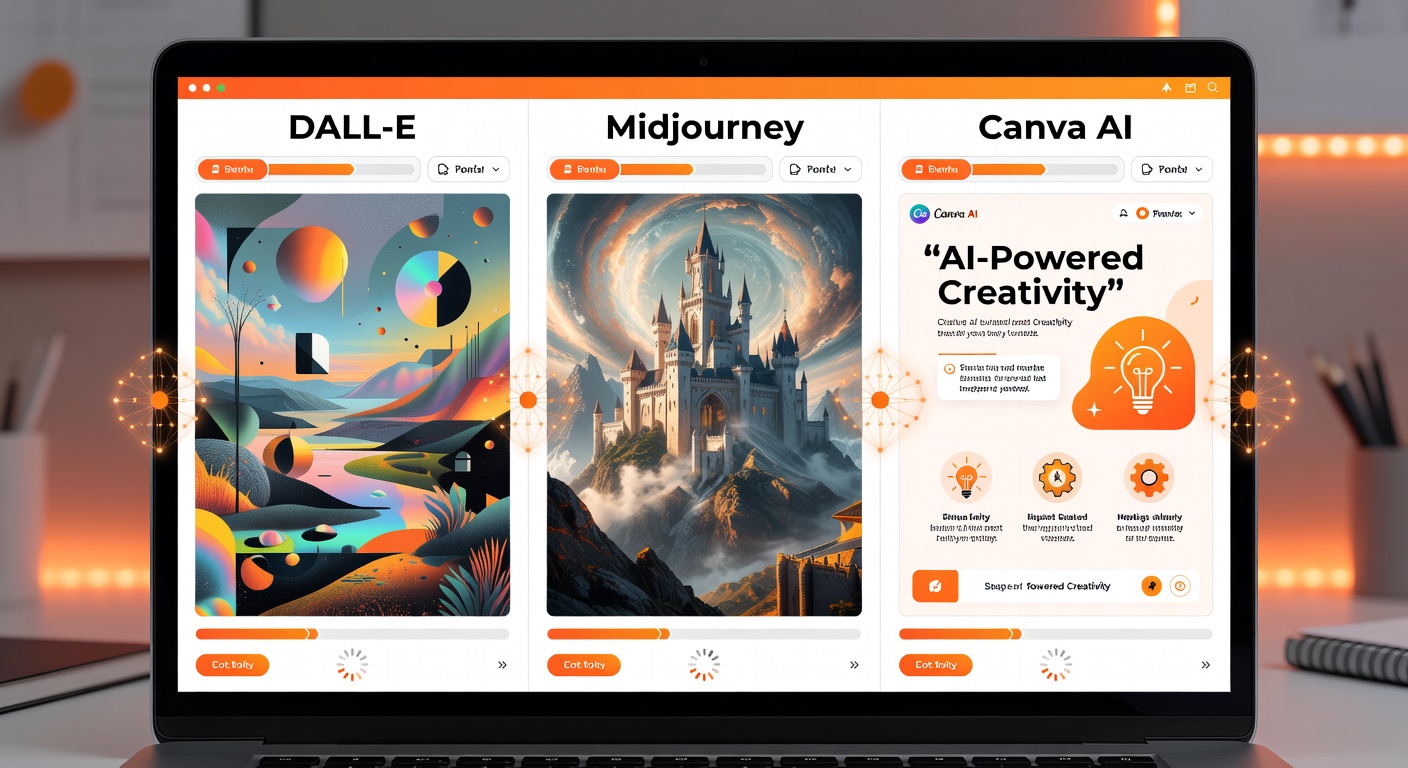
Generative AI image tools have transformed how students create visuals for presentations, projects, and creative work. In 2026, producing professional-quality images from a text description takes seconds.
DALL-E 3 (via ChatGPT)
DALL-E 3 is integrated into ChatGPT and remains the most accessible image generation tool for students. It excels at photorealistic images, concept diagrams, and illustrative visuals for presentations and reports. Describe what you need in plain language — “a diagram showing the water cycle with labels, clean textbook style” — and DALL-E produces it.
- Best for: Presentation visuals, report illustrations, concept diagrams, custom graphics
- Pricing: Included in ChatGPT Plus ($20/month); limited in free tier
Midjourney
Midjourney produces arguably the most aesthetically polished AI-generated images available, particularly for artistic and creative projects. Its style range spans photorealism to painterly illustration to graphic design. For art, design, and media students, Midjourney’s output quality is unmatched.
- Best for: Creative projects, portfolio pieces, artistic illustrations, design work
- Pricing: Basic $10/month; Standard $30/month
Canva AI (Magic Media)
Canva’s Magic Media generates images and short videos from text prompts inside the Canva design environment — and immediately places them in your design workflow. For students creating presentations, posters, or social media content, the integration is seamless: generate an image and use it in the same tool.
- Best for: Presentations, infographics, social media content, academic posters
- Pricing: Free plan available; Pro ~$15/month
Bing Image Creator (free)
Microsoft’s Bing Image Creator uses DALL-E technology and is completely free with a Microsoft account. For students who need occasional image generation without a subscription, this is the best no-cost option.
- Best for: Budget-conscious students; occasional image needs
- Pricing: Free
Key takeaway: DALL-E 3 via ChatGPT for most students. Midjourney for creative and design-focused work. Canva AI when images need to be embedded in design outputs immediately.
Category 3: Video and Audio Generation Tools
Runway (Video Generation)
Runway is the leading AI video generation platform for creative students. Its Gen-3 Alpha model turns text descriptions or image inputs into short video clips — useful for film studies students, media projects, explainer videos, and creative portfolios. The editing tools allow frame-by-frame refinement that puts production-quality output within reach of individual students.
- Best for: Film, media, and communications students; creative video projects; explainer content
- Pricing: Free 125 credits; Standard $15/month
Suno (Music Generation)
Suno generates full songs — lyrics, vocals, instrumentation, and production — from a text prompt. Describe a style and theme (“upbeat lo-fi study music with piano and soft beats”) and Suno produces a complete track in seconds. For music students, media students, and anyone creating video or presentation content that needs original audio, this is transformative.
- Best for: Music students, media students, background audio for video projects, creative projects
- Pricing: Free 50 credits/day; Pro $8/month
ElevenLabs (Voice Generation)
ElevenLabs generates realistic spoken audio from text. Students use it for accessibility purposes (listening to notes), language learning (hearing correct pronunciation at native speed), and creating audio content for podcasts, presentations, or video narrations.
- Best for: Accessibility, language learning, podcast production, presentation voiceovers
- Pricing: Free tier; Starter $5/month
Key takeaway: Runway for video, Suno for music, ElevenLabs for speech — together they cover the full audio-visual generation stack for creative student work.
Category 4: Code Generation Tools
GitHub Copilot (Free for Students)
GitHub Copilot is the industry-standard AI coding assistant and is entirely free for students through the GitHub Student Developer Pack. It autocompletes code, explains functions, generates test cases, and helps debug errors in VS Code and JetBrains IDEs. For CS, data science, and software engineering students, Copilot is the most immediately useful generative AI tool available.
- Best for: Programming assignments, personal projects, learning new languages and frameworks
- Pricing: Free for students via GitHub Student Developer Pack
ChatGPT Code Interpreter
ChatGPT’s Code Interpreter mode runs Python code on uploaded data files. Upload a CSV with your experimental results and ask ChatGPT to run statistical tests, generate publication-quality graphs, or perform regression analysis — it does the analysis, explains what it found, and shows the code it used. For students doing research projects, lab reports, or data-heavy coursework, this is extraordinarily useful.
- Best for: Data analysis, statistics coursework, research projects, lab report visualisations
- Pricing: ChatGPT Plus $20/month
Replit AI
Replit is a browser-based coding environment with integrated AI that requires zero setup. For students learning to code who don’t have a configured local development environment, Replit removes all friction. The AI explains errors in plain English, suggests fixes, and can generate starter code for common project types.
- Best for: Beginners learning to code; quick prototyping; collaborative coding
- Pricing: Free tier; Core $20/month
Key takeaway: GitHub Copilot free for students is one of the best deals in education. Apply for the Student Developer Pack if you write any code.
Category 5: Research and Summarisation Tools
NotebookLM (Google)
NotebookLM remains one of the most powerful free generative AI tools for students in 2026. Upload your reading list — PDFs, articles, lecture notes — and NotebookLM generates study guides, FAQs, timelines, and audio overviews (a podcast-style discussion of your uploaded material).
What makes NotebookLM exceptional is its grounding: it only generates content based on your uploaded sources. There’s no hallucination from general training data. Every claim it makes can be traced to a specific document you uploaded.
- Best for: Revision, processing dense reading lists, generating study materials from course content
- Pricing: Free; included in Google AI Pro Plan for students
Perplexity AI
Perplexity combines a language model with real-time web search and citation. Every answer includes clickable source links. For students who need to build a research foundation quickly, or who need to verify claims with credible sources, Perplexity is faster and more reliable than a standard search engine for research tasks.
- Best for: Research foundation, finding credible sources, staying current on fast-moving topics
- Pricing: Free tier; Pro $20/month (free at many universities)
Elicit
Elicit is a research AI specifically built for academic literature. It searches academic databases, surfaces relevant papers, extracts key findings, and summarises methodology sections. For literature reviews and systematic research, Elicit can dramatically reduce the time spent manually reading abstracts.
- Best for: Literature reviews, systematic research, academic paper summarisation
- Pricing: Free basic tier; Plus $10/month
Comparison Table: Best Generative AI Tools for Students
| Tool | Type | Best For | Pricing |
| Claude | Text | Long documents, writing quality | Free + $20/month Pro |
| ChatGPT | Text/Multimodal | General use, maths, reasoning | Free + $20/month Plus |
| Gemini | Text/Multimodal | Research, Google integration | Free (Pro free with .edu) |
| DALL-E 3 | Image | Presentation visuals, diagrams | Via ChatGPT Plus |
| Midjourney | Image | Creative and artistic projects | From $10/month |
| Canva AI | Image/Design | Presentations, posters, graphics | Free + Pro $15/month |
| Bing Image Creator | Image | Occasional use, no subscription | Free |
| Runway | Video | Film and media projects | Free credits + $15/month |
| Suno | Music | Original audio for projects | Free 50 credits/day |
| GitHub Copilot | Code | Programming assignments | Free for students |
| NotebookLM | Research | Processing reading lists | Free |
| Perplexity AI | Research | Source-backed research | Free + Pro |
| Elicit | Research | Academic literature review | Free + $10/month |
How to Use Generative AI Without Undermining Your Learning
The research on AI and learning outcomes is instructive: students who use AI to understand material score better than those who don’t. Students who use AI to avoid engaging with material — having it write their work for them — often understand less and perform worse when assessed without AI.
The students who benefit most from generative AI use it as an active learning tool:
Explain, don’t write. Use Claude or ChatGPT to explain difficult concepts in simpler terms, not to write your essays. If you can explain a concept to the AI and have a conversation about it, you’ve understood it. If you just read the AI’s explanation without testing your own understanding, you haven’t.
Verify claims from generative models. Language models can confidently state incorrect information. Always use Perplexity or NotebookLM for academic claims because they cite sources. Cross-reference anything important from non-grounded models.
Use AI for the process, not the product. Use DALL-E to generate a visual that illustrates your argument, not to replace your argument. Use Copilot to help you understand why your code isn’t working, not just to produce code you don’t understand.
Iterate with AI. Draft something yourself, then use Claude or ChatGPT to critique it — “What’s the weakest part of this argument? What am I missing?” This improves your work while building your own capability.
Academic Integrity: The Honest Guide
The landscape on AI and academic integrity has evolved significantly since 2023. Most universities now have explicit AI policies rather than blanket bans.
The common framework in 2026 distinguishes between:
Clearly permitted: Using AI to understand material, grammar-check your writing, brainstorm ideas, explain feedback, generate study aids, and support research discovery. These are the equivalent of a writing centre or library — support tools for your own work.
Usually permitted with disclosure: Using AI to help draft, generate an initial outline, or get feedback on your own draft — as long as you disclose AI use and the final work reflects your own thinking.
Usually not permitted: Submitting AI-generated text as your own without disclosure, having AI complete assessed work, using AI to produce answers in examinations.
The most honest rule: if you wouldn’t feel comfortable describing exactly how you used AI in your assignment notes, you probably shouldn’t be using it that way.
FAQ
What is the best free generative AI tool for students?
Google NotebookLM (free) for study aids and processing your reading list. Google Gemini Pro (free with .edu email) for general-purpose AI with massive context. Claude’s free tier for high-quality writing analysis. Perplexity’s free tier for cited research. GitHub Copilot free for student programmers. Together, these free tools cover nearly every generative AI need a student has.
Is using generative AI cheating?
It depends entirely on how you use it and what your institution’s policy says. Using AI to understand material, improve your writing, and support your research is generally acceptable and explicitly permitted by many universities. Submitting AI-generated work as your own is generally not acceptable. When in doubt, disclose your AI use and ask your instructor.
Which is better for students: ChatGPT or Claude?
Both are excellent, with different strengths. Claude produces higher-quality, more natural-sounding prose and handles very long documents better — ideal for analytical essays and processing lengthy research materials. ChatGPT is better for mathematics, has Study Mode specifically designed for learning, and provides web search integration. Many students use both: Claude for writing and analysis, ChatGPT for maths and quick research.
Can generative AI help with maths and science?
Yes significantly. ChatGPT’s o3 model shows full reasoning steps for complex maths problems. Wolfram Alpha remains the best computational tool for step-by-step solutions. Claude handles statistics and data interpretation well. Code Interpreter can run statistical analyses on your data files. For science, AI models can explain complex theories, summarise research papers, and help design experiments — though always verify AI-generated scientific claims against primary sources.
Are there generative AI tools specifically for art and design students?
Midjourney is the premium choice for artistic image generation, with a style range from photorealism to painterly illustration. Runway handles video generation and is used by film and media students. Suno generates music. Canva AI integrates generative image creation with a design environment. For architecture and 3D design, tools like Spline’s AI are emerging. Adobe Firefly is integrated into Adobe Creative Suite and is optimised for commercially safe image generation.
How do I avoid AI hallucinations in my academic work?
Use tools that cite their sources: Perplexity, NotebookLM, and Elicit only draw from verified sources and link you to them. For general-purpose models (Claude, ChatGPT, Gemini), treat their outputs as a starting point for further verification rather than as authoritative fact. Anything that will appear in a citation or as a factual claim in an assignment should be verified through a primary source.
Conclusion
Generative AI in 2026 isn’t a tool for shortcuts — it’s a tool for doing more with the same time. The students gaining the most from it are using it to understand material more deeply, produce work they’re genuinely proud of, and explore creative possibilities that weren’t available to previous generations.
The tools are extraordinary. Claude for writing and analysis. ChatGPT for maths and reasoning. Gemini for research and the Google ecosystem. DALL-E and Midjourney for visuals. Suno for audio. GitHub Copilot for code. NotebookLM for processing your reading list. Together, they form a capability stack that is transforming what’s possible for individual students.
Use them to learn more, not less. The students who do will graduate with capabilities their predecessors didn’t have — and the genuine understanding to match.
Ready to go deeper on learning with AI? Explore the full Best AI Tools in 2026 guide on learnAI.